
1. Εισαγωγή
The TRIGKEY Key-N150 Mini PC is a compact and efficient computer designed for various tasks, from office work to media entertainment. It features an Intel Twin Lake N150 processor, 16GB DDR4 RAM, and a 500GB M.2 PCIeX4 SSD, offering reliable performance in a small form factor. This manual provides essential information for setting up, operating, and maintaining your Mini PC.

Εικόνα 1.1: Εμπρός view of the TRIGKEY Key-N150 Mini PC.
2. Περιεχόμενα συσκευασίας
Παρακαλούμε ελέγξτε τη συσκευασία για τα ακόλουθα στοιχεία:
- TRIGKEY Key-N150 Mini PC
- Εγχειρίδιο χρήστη
- Καλώδιο HDMI (1m)
- AC Power Cable (Optional: US/EU/UK/JP/AU)
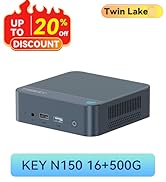
Image 2.1: TRIGKEY Key-N150 Mini PC and included accessories.
3. Το προϊόν τελείωσεview
The Key-N150 Mini PC is equipped with a variety of ports and internal components to support its functionality.
3.1 Front and Rear Panel Interfaces

Image 3.1: Front panel of the Mini PC, showing USB ports and audio jack.

Image 3.2: Rear panel of the Mini PC, showing AC power, USB, LAN, and HDMI ports.
The Mini PC features:
- Εμπρός: 3.5mm Audio Jack, USB 2.0, USB 3.2 (10Gbps), Power Button, Power Indicator Light.
- Οπισθεν: AC Power Input, USB 3.2 (10Gbps) x2, LAN (1000M) x2, HDMI x2.
3.2 Εσωτερικά Στοιχεία
Εικόνα 3.3: Εξερράγη view showing the internal components of the Mini PC, including the CPU, fan, RAM, and SSD slots.
Key internal features include:
- Επεξεργαστής: Intel Twin Lake N150 (4 Cores/4 Threads, up to 3.60GHz).
- Γραφικά: Intel UHD Graphics (24EUs, 1000MHz).
- Μνήμη: 16GB DDR4 3200MHz SO-DIMM (single channel, expandable).
- Αποθήκευση: 500GB M.2 PCIeX4 SSD (supports dual M.2 2280 SSDs, up to 2TB expansion).
- Ασύρματη συνδεσιμότητα: WiFi 5 and Bluetooth 5.0.
- Τροφοδοτικό: Built-in 45W PSU.

Image 3.4: Details of the Intel Twin Lake N150 processor, highlighting its 3.6 GHz max turbo frequency, 4 cores, and 4 threads.

Image 3.5: Illustration of the 16GB DDR4 SO-DIMM RAM and the dual M.2 2280 SSD slots for storage expansion.
4. Οδηγίες εγκατάστασης
Follow these steps to set up your TRIGKEY Key-N150 Mini PC:
- Σύνδεση με οθόνη: Use an HDMI cable to connect the Mini PC to your monitor or TV. The device supports dual HDMI output for multiple displays.
- Σύνδεση περιφερειακών: Συνδέστε το πληκτρολόγιο και το ποντίκι USB στις διαθέσιμες θύρες USB.
- Σύνδεση στο Δίκτυο: For a wired connection, connect an Ethernet cable to one of the two LAN ports. For wireless, ensure your WiFi network is available during initial setup.
- Ενεργοποίηση: Connect the AC power cable to the Mini PC and then to a power outlet. Press the power button on the front panel.
- Αρχική εκκίνηση: The Mini PC will boot up. Follow the on-screen instructions to complete the operating system setup (if not pre-configured).
Βίντεο 4.1: Ένα overview of the TRIGKEY Key-N150 Mini PC, demonstrating its features and connectivity options. This video provides a visual guide to the product's design and capabilities.
5. Οδηγίες λειτουργίας
5.1 Βασική λειτουργία
Once set up, your Mini PC functions like a standard desktop computer. You can perform tasks such as web browsing, media playback, and office applications.

Image 5.1: The Mini PC supports various applications including web browsing, media entertainment, office work, and 4K video playback.
5.2 Ρύθμιση διπλής οθόνης
The Mini PC supports connecting two monitors via its dual HDMI ports. To configure dual displays:
- Συνδέστε και τις δύο οθόνες στις θύρες HDMI στο πίσω μέρος του Mini PC.
- Power on the Mini PC and both monitors.
- The operating system should automatically detect both displays. You can adjust display settings (extend, duplicate, primary display) through your OS display settings.
5.3 Intel Unison App
The Intel Unison App allows seamless connection between your Mini PC and mobile devices. This enables features such as:
- Viewing photo galleries from your PC.
- Extending your PC screen with a tablet.
- Making and receiving phone calls from your PC.
- Μεταφορά files between phone/tablet and PC.
- Sending and receiving text messages from your PC.
- Managing device notifications from a single source.

Image 5.2: The Intel Unison App facilitates seamless connectivity and data transfer between your Mini PC and mobile devices.
6. Συντήρηση
Για να διασφαλίσετε τη μακροζωία και τη βέλτιστη απόδοση του Mini PC σας, λάβετε υπόψη τις ακόλουθες συμβουλές συντήρησης:
- Διατηρήστε το καθαρό: Regularly clean the exterior of the Mini PC with a soft, dry cloth. Ensure ventilation holes are free from dust and obstructions to maintain efficient cooling.
- Ενημερώσεις λογισμικού: Διατηρείτε το λειτουργικό σας σύστημα και τα προγράμματα οδήγησης ενημερωμένα στις πιο πρόσφατες εκδόσεις για βελτιώσεις στην ασφάλεια και την απόδοση.
- Σωστός τερματισμός λειτουργίας: Να απενεργοποιείτε πάντα σωστά το Mini PC μέσω του λειτουργικού συστήματος για να αποτρέψετε την καταστροφή δεδομένων.
- Περιβαλλοντικές Συνθήκες: Λειτουργείτε το Mini PC σε καλά αεριζόμενο χώρο, μακριά από άμεσο ηλιακό φως, υπερβολική θερμότητα και υγρασία.

Image 6.1: The Mini PC features an efficient cooling system to ensure stable operation and heat dissipation.
7. Αντιμετώπιση Προβλημάτων
Εάν αντιμετωπίσετε προβλήματα με τον Mini PC σας, ανατρέξτε στις ακόλουθες συνήθεις λύσεις:
- Χωρίς ισχύ: Ensure the AC power cable is securely connected to both the Mini PC and the power outlet. Try a different power outlet.
- Χωρίς εμφάνιση: Check that the HDMI cable is firmly connected to both the Mini PC and the monitor. Verify the monitor is powered on and set to the correct input source. Try a different HDMI cable or monitor if possible.
- Δεν υπάρχει σύνδεση στο διαδίκτυο: For wired connections, check the Ethernet cable and router status. For wireless, ensure Wi-Fi is enabled in the operating system and you are connected to the correct network with the correct password.
- Τα περιφερειακά δεν λειτουργούν: Ensure USB devices are properly plugged into the USB ports. Try different USB ports or restart the Mini PC.
- Επιβράδυνση συστήματος: Κλείστε τις εφαρμογές που δεν χρειάζεστε. Ελέγξτε για διεργασίες στο παρασκήνιο που καταναλώνουν πολλούς πόρους. Βεβαιωθείτε ότι έχετε επαρκή ελεύθερο χώρο αποθήκευσης.
- Απροσδόκητοι τερματισμοί λειτουργίας: Ensure the Mini PC is in a well-ventilated area and not overheating. Check for any recent software or driver installations that might be causing instability.
If problems persist, consult the TRIGKEY support resources mentioned in the Warranty and Support section.
8. Προδιαγραφές
| Χαρακτηριστικό | Λεπτομέρεια |
|---|---|
| Μάρκα | TRIGKEY |
| Αριθμός μοντέλου | KEY N150 |
| Μοντέλο CPU | Intel Twin Lake N150 (Celeron) |
| Ταχύτητα CPU | Έως 3.6 GHz |
| Πλήθος επεξεργαστή | 4 |
| Συνεπεξεργαστής γραφικών | Γραφικά Intel UHD |
| Εγκατεστημένη μνήμη RAM | 16 GB DDR4 SDRAM |
| Ταχύτητα μνήμης | 3200 MHz |
| Διαθέσιμες υποδοχές μνήμης | 1 |
| Χωρητικότητα αποθήκευσης μνήμης | 500 GB |
| Περιγραφή σκληρού δίσκου | 500GB M.2 PCIeX4 SSD |
| Λειτουργικό σύστημα | OS (Pre-installed) |
| Τεχνολογία Συνδεσιμότητας | Bluetooth, Ethernet, HDMI, Wi-Fi |
| Ασύρματη συμβατότητα | 802.11ac (Wi-Fi 5), Bluetooth 5.0 |
| Σύνολο θυρών USB | 3 (USB 3.2 x2, USB 2.0 x1) |
| Total Number of HDMI Ports | 2 |
| Μέγιστη ανάλυση οθόνης | 3840x2160 (4K) |
| Μέθοδος Ψύξης | Passive (with fan for efficient heat dissipation) |
| Τύπος βύσματος ρεύματος | Τύπος A - 2 ακίδων (Βόρεια Αμερική) |
| Χρώμα | Γκρί |
9. Εγγύηση και υποστήριξη
TRIGKEY is committed to providing excellent customer service and support for your Mini PC.
- Ετοιμολογία: Support inquiries receive a reply within 24 hours.
- Πολιτική επιστροφής: Πολιτική επιστροφής 30 ημερών.
- Αντικατάσταση: Δυνατότητα αντικατάστασης εντός 12 μηνών από την αγορά.
- Υποστήριξη δια βίου: Εξυπηρέτηση μετά την πώληση και τεχνική υποστήριξη εφ' όρου ζωής.

Image 9.1: TRIGKEY's commitment to customer service, including response times, return policy, replacement period, and lifetime technical support.
Επικοινωνήστε μαζί μας
For further assistance, technical support, or warranty claims, please use the following channels:
- E-mail: Refer to your product packaging or the official TRIGKEY website for email contact information.
- Webτοποθεσία: Visit the official TRIGKEY webιστότοπος για συχνές ερωτήσεις, προγράμματα οδήγησης και πόρους υποστήριξης.
- Ηλεκτρονική Συμβουλευτική: Check the TRIGKEY store page for online chat or consultation options.

Image 9.2: Various contact methods for TRIGKEY customer service and technical support.