
Anker Soundcore K20i
Εγχειρίδιο χρήστη για τα ασύρματα ακουστικά Anker Soundcore K20i True
Model: K20i | Brand: Anker Soundcore
1. Εισαγωγή
The Anker Soundcore K20i are true wireless earbuds designed for comfortable, extended listening. They feature Bluetooth 5.3 connectivity, IPX5 water resistance, and up to 36 hours of total playback with the charging case. Enjoy powerful bass and clear calls with AI noise reduction.

Image: Anker Soundcore K20i earbuds and charging case in black, white, purple, and blue.
2. Περιεχόμενα συσκευασίας
Βεβαιωθείτε ότι όλα τα είδη υπάρχουν στη συσκευασία του προϊόντος σας:
- Soundcore K20i True Wireless Earbuds
- Θήκη φόρτισης
- USB-C & USB-A Charging Cable
- Safety Manual & Quick Start Guide

Image: The Anker Soundcore K20i earbuds, their charging case, and the included USB-C charging cable.
3. Ρύθμιση
3.1. Φόρτιση
Πριν από την πρώτη χρήση, φορτίστε πλήρως τόσο τα ακουστικά όσο και τη θήκη φόρτισης.
- Place the earbuds into the charging case. Close the case to begin charging the earbuds.
- Συνδέστε τη θήκη φόρτισης σε μια πηγή ρεύματος χρησιμοποιώντας το παρεχόμενο καλώδιο USB-C.
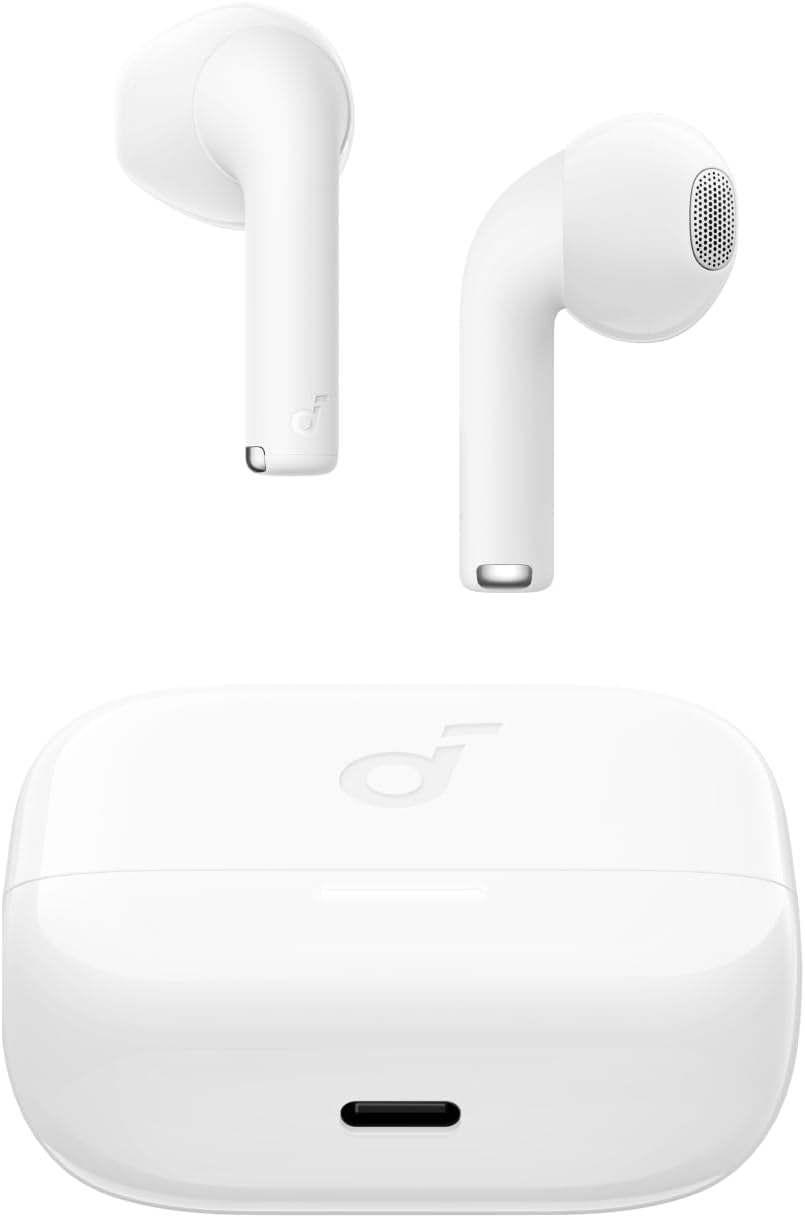
Image: The Anker Soundcore K20i earbuds resting in their open charging case, with the USB-C charging port visible at the front of the case.
3.2. Ζευγάρισμα
Ακολουθήστε αυτά τα βήματα για να αντιστοιχίσετε τα ακουστικά σας με μια συσκευή με δυνατότητα Bluetooth:
- Ανοίξτε τη θήκη φόρτισης. Τα ακουστικά θα εισέλθουν αυτόματα σε λειτουργία σύζευξης Bluetooth.
- On your device (smartphone, PC), enable Bluetooth and search for 'Soundcore K20i'.
- Select 'Soundcore K20i' to connect.
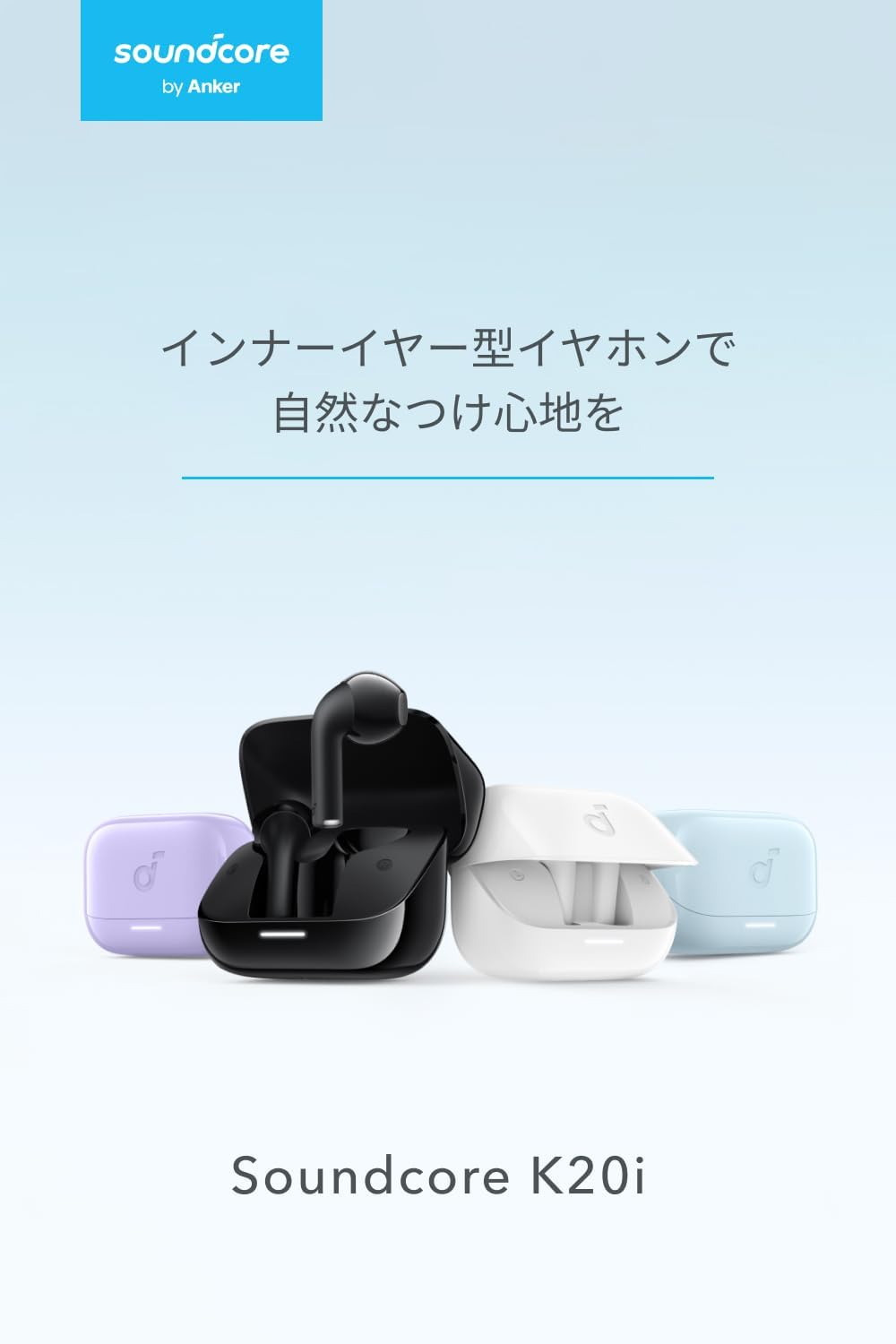
Image: The Anker Soundcore K20i earbuds removed from their charging case, indicating they are ready for Bluetooth pairing.
4. Οδηγίες λειτουργίας
4.1. Φορώντας τα ακουστικά
Για βέλτιστη άνεση και ποιότητα ήχου, βεβαιωθείτε ότι τα ακουστικά έχουν τοποθετηθεί σωστά στα αυτιά σας.
- Τοποθετήστε τα ακουστικά στα αυτιά σας και περιστρέψτε τα απαλά μέχρι να εφαρμόσουν σφιχτά και άνετα.
- Each earbud weighs approximately 3.3g, designed for extended comfortable wear without ear tips.

Image: A diagram illustrating the correct way to position the Anker Soundcore K20i earbud in the ear canal for a secure and comfortable fit.
4.2. Βασικοί έλεγχοι
The Soundcore K20i earbuds feature touch controls for various functions. Specific actions for single, double, or triple taps can often be customized via the Soundcore app.
4.3. Εφαρμογή Soundcore
Βελτιώστε την εμπειρία ακρόασης κατεβάζοντας την εφαρμογή Soundcore. Η εφαρμογή σάς επιτρέπει να:
- Customize sound settings and adjust the equalizer.
- Locate your earbuds if misplaced.
- Ενημέρωση υλικολογισμικού ακουστικών.

Image: A user interacting with the Soundcore application on a smartphone, displaying various sound customization options for the earbuds.
5. Συντήρηση
5.1. Καθάρισμα
Ο τακτικός καθαρισμός βοηθά στη διατήρηση της βέλτιστης απόδοσης και υγιεινής:
- Καθαρίζετε τακτικά τα ακουστικά και τη θήκη φόρτισης με ένα στεγνό, μαλακό πανί που δεν αφήνει χνούδι.
- Αποφύγετε τη χρήση σκληρών χημικών ή λειαντικών υλικών.
5.2. Αντοχή στο νερό (IPX5)
The earbuds are IPX5 water-resistant, meaning they can withstand splashes and sweat. This makes them suitable for workouts and light rain. Μην τα βυθίζετε στο νερό.

Image: Two Anker Soundcore K20i earbuds covered in water droplets, illustrating their IPX5 water-resistant design.
5.3. Αποθήκευση
Store the earbuds in their charging case when not in use to protect them from damage and ensure they remain charged.
6. Αντιμετώπιση Προβλημάτων
If you encounter issues with your Soundcore K20i earbuds, try the following solutions:
- Τα ακουστικά δεν αντιστοιχίζονται: Ensure both earbuds are charged and within range of your device. Turn off and on your device's Bluetooth.
- Only one earbud plays sound: Try placing both earbuds back into the charging case, closing it for a few seconds, then reopening. Refer to the quick start guide for specific earbud reset instructions.
- Κακή ποιότητα ήχου: Ensure the earbuds are properly seated in your ears. Try adjusting equalizer settings in the Soundcore app.
- Ζητήματα φόρτισης: Verify the charging cable is securely connected to both the case and the power source. Ensure the charging contacts on the earbuds and inside the case are clean.
7. Προδιαγραφές
| Χαρακτηριστικό | Προσδιορισμός |
|---|---|
| Όνομα μοντέλου | Soundcore K20i |
| Τεχνολογία Συνδεσιμότητας | Ασύρματη σύνδεση (Bluetooth 5.3) |
| Τοποθέτηση αυτιού | In-Ear |
| Στυλ ακουστικών | In-Ear |
| Αντίσταση | 16 Ωμ |
| Έλεγχος θορύβου | None (AI Noise Reduction for calls) |
| Χρόνος αναπαραγωγής (ακουστικά) | Έως 6 ώρες |
| Συνολικός χρόνος αναπαραγωγής (με θήκη) | Έως 36 ώρες |
| Γρήγορη Φόρτιση | 10 minutes charge for approx. 2 hours playback |
| Earbud Weight (per earbud) | Περίπου 3.3 γρ |
| Βάρος προϊόντος | 42.6 γρ |
| Αντοχή στο νερό | IPX5 |
| Αριθμός μοντέλου κατασκευαστή | Α3994 |
| Συμβατές Συσκευές | Smartphones, PCs, and other Bluetooth-compatible devices |
8. Εγγύηση και υποστήριξη
Anker Soundcore K20i comes with an 18μηνη εγγύηση προϊόντος from the date of purchase. For registered members, an additional 6μηνη εκτεταμένη εγγύηση is provided, totaling 24 months of coverage.
For product or delivery-related inquiries, please contact customer support. Anker provides dedicated Japanese customer support.

Image: Details on Anker's 18-month product warranty, an additional 6-month extended warranty for members, and information for contacting Japanese customer support.
Σχετικά Έγγραφα - Κ20i
 |
Soundcore K20i True Wireless Earbuds User Manual and Troubleshooting Guide Comprehensive guide for Soundcore K20i true wireless earbuds, covering wearing, connectivity, sound quality, charging, app usage, and troubleshooting. Learn how to get the most out of your earbuds. |
 |
Οδηγός γρήγορης εκκίνησης για το Soundcore K20i Αυτός ο οδηγός παρέχει οδηγίες για τη ρύθμιση, τη σύζευξη, τη φόρτιση και τη λειτουργία των ασύρματων ακουστικών Soundcore K20i (Μοντέλα A3994, A3994L, A3994R). Μάθετε για τις λειτουργίες της εφαρμογής, τη μη αυτόματη σύζευξη, τη διαχείριση ενέργειας και την αντιμετώπιση προβλημάτων. |
 |
Οδηγός γρήγορης εκκίνησης Soundcore K20i - Ρύθμιση και χειριστήρια ακουστικών Μάθετε πώς να ενεργοποιείτε, να αντιστοιχίζετε, να φορτίζετε, να ελέγχετε και να επαναφέρετε τα ακουστικά Soundcore K20i. Αυτός ο οδηγός γρήγορης εκκίνησης περιλαμβάνει επίσης σημαντικές πληροφορίες ασφάλειας και εγγύησης για τα μοντέλα A3994, A3994L, A3994R. |
 |
Soundcore K20i True Wireless Earbuds User Manual & Guide Official user manual and guide for the Soundcore K20i true wireless earbuds. Learn how to pair, charge, control, reset, and update firmware for your Soundcore K20i earbuds. |
 |
Soundcore K20i juhtmevabad kõrvaklapid kasutusjuhend Soundcore K20i juhtmevabade kõrvaklappide kasutusjuhend, mis hõlmab rakenduse funktsioone, sidumist, laadimist, juhtnuppe, püsivara värskendusi ja tehnilisi andmeid. |
 |
Soundcore K20i Bezvadu Austiņu Lietotnes Rokasgrāmata un Specifikācijas Detalizēta lietotnes rokasgrāmata un specifikācijas Soundcore K20i bezvadu austiņām, kas aptver savienošanu pārī, uzlādi, vadību, atiestatīšanu un programmaparatūras atjaunināšanu. |
Ask a question about this manual
Ask about setup, troubleshooting, compatibility, parts, safety, or missing instructions. Manuals+ will review the question and use this page’s manual context to help answer it.