
1. Το προϊόν τελείωσεview
The TP-Link Deco X1500 is a Wi-Fi 6 Mesh System designed to provide seamless, whole-home Wi-Fi coverage. This 3-pack system utilizes advanced Wi-Fi 6 technologies to deliver faster speeds, connect more devices, and reduce latency for a superior network experience. It creates a unified network that automatically selects the best connection as you move throughout your home.

Image: A single TP-Link Deco X1500 Mesh WiFi 6 unit, showcasing its compact white cylindrical design.
Βασικά Χαρακτηριστικά:
- Faster Connections: Wi-Fi 6 achieves speeds up to 1,500 Mbps: 1,201 Mbps on 5 GHz and 300 Mbps on 2.4 GHz.
- Σύνδεση περισσότερων συσκευών: OFDMA and MU-MIMO technologies quadruple capacity for simultaneous transmission to multiple devices.
- Enhanced Seamless Coverage: Achieve perfect whole-home coverage with a clearer and stronger Wi-Fi signal generated by Wi-Fi 6.
- Εξαιρετικά χαμηλή καθυστέρηση: Reduced latency enables more responsive gaming and video chats.
- Ενοποιημένο Δίκτυο: Multiple units form a whole-home network that automatically selects the best connection as you move around your home.
- Ισχυρός γονικός έλεγχος: Περιορίστε το χρόνο στο διαδίκτυο και αποκλείστε ακατάλληλες websites based on unique profiles που δημιουργήθηκε για κάθε μέλος της οικογένειας.
- Απλοποιημένη ρύθμιση: The Deco app guides you step-by-step through the setup process.
2. Περιεχόμενα συσκευασίας
Βεβαιωθείτε ότι όλα τα αντικείμενα υπάρχουν στη συσκευασία σας:
- 3 x μονάδες Deco X1500
- 1 x RJ45 καλώδιο Ethernet
- 3 x Μετασχηματιστές ρεύματος
- 1 x Οδηγός γρήγορης εγκατάστασης
3. Οδηγίες εγκατάστασης
Setting up your Deco X1500 Mesh System is straightforward using the TP-Link Deco app. Follow these steps for initial installation:
- Κατεβάστε την εφαρμογή Deco: Αναζήτηση για 'TP-Link Deco' in the App Store (iOS) or Google Play Store (Android) and download the application.
- Εγγραφή ή σύνδεση: Open the Deco app and sign up for a TP-Link ID. If you already have one, log in.
- Συνδέστε την κύρια μονάδα Deco:
- Απενεργοποιήστε το μόντεμ σας.
- Συνδέστε μία μονάδα Deco στο μόντεμ σας χρησιμοποιώντας το παρεχόμενο καλώδιο Ethernet.
- Power on your modem, then power on the Deco unit.
- Ακολουθήστε τις οδηγίες εντός εφαρμογής: The Deco app will automatically detect your Deco unit and guide you through the process of creating your Wi-Fi network name and password.
- Προσθήκη επιπλέον μονάδων Deco: Once the main Deco is set up, the app will prompt you to add the remaining Deco units. Place them strategically throughout your home for optimal coverage. The app will provide guidance on ideal placement.
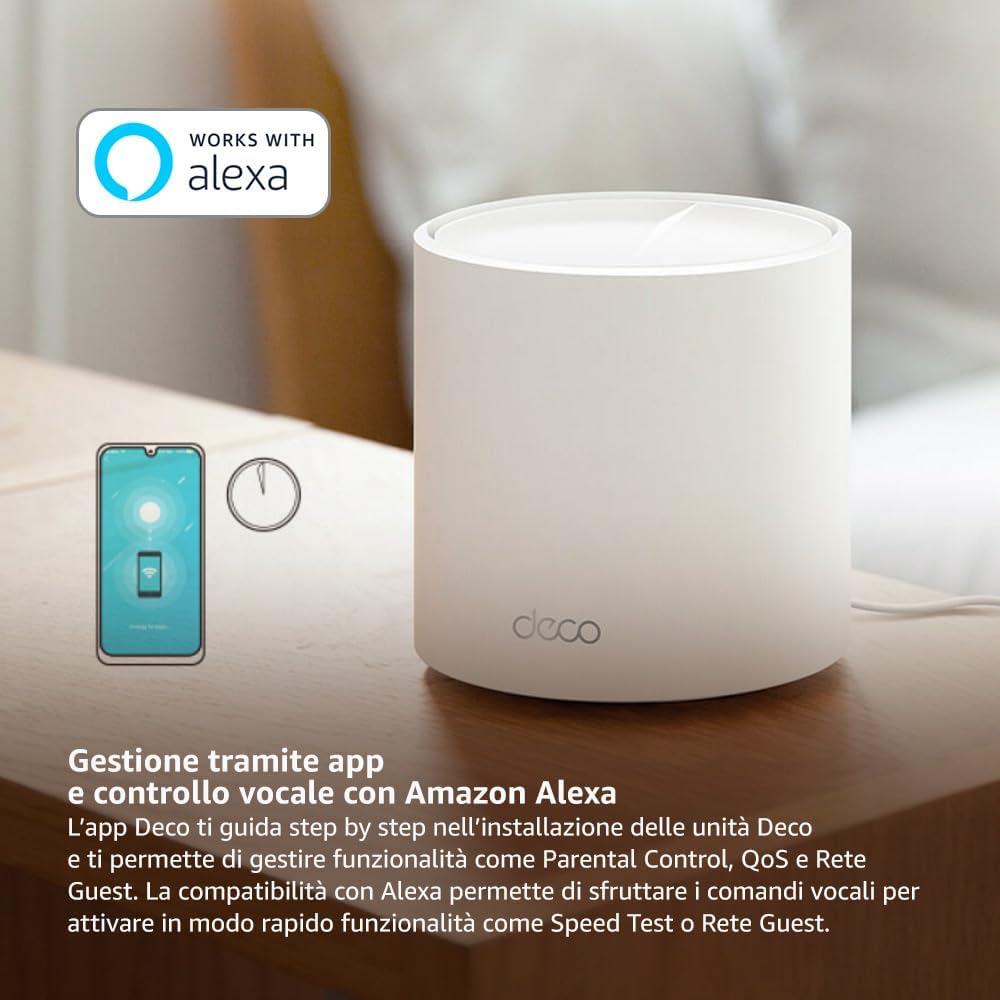
Image: A smartphone screen displaying the TP-Link Deco app, illustrating the step-by-step setup process for the mesh system.
4. Οδηγίες λειτουργίας
The Deco X1500 system is managed primarily through the TP-Link Deco app, offering various features to control and optimize your home network.
Using the Deco App:
- Διαχείριση Δικτύου: View connected devices, monitor network status, and manage Wi-Fi settings.
- Γονικός έλεγχος: Δημιουργία επαγγελματίαfiles for family members, set time limits, and block inappropriate content.
- Ποιότητα υπηρεσίας (QoS): Δώστε προτεραιότητα σε συσκευές ή δραστηριότητες για βέλτιστη απόδοση.
- Δίκτυο επισκεπτών: Δημιουργήστε ένα ξεχωριστό δίκτυο Wi-Fi για τους επισκέπτες, διατηρώντας το κύριο δίκτυό σας ασφαλές.
- Antivirus: Utilize built-in HomeShield features for network protection.
Φωνητικός έλεγχος με το Amazon Alexa:
The Deco X1500 is compatible with Amazon Alexa. Link your TP-Link Deco account to your Alexa account to use voice commands for network functions, such as:
- Enabling or disabling the Guest Network.
- Running a speed test.
- Pausing Wi-Fi for specific profiles.

Εικόνα: Το πίσω μέρος view of a Deco X1500 unit, showing two Gigabit LAN/WAN auto-sensing Ethernet ports and the power input.
5. Συντήρηση
Regular maintenance ensures optimal performance and longevity of your Deco X1500 system.
Ενημερώσεις υλικολογισμικού:
- The Deco app will notify you of available firmware updates. It is recommended to keep your Deco units updated to the latest firmware for improved performance, security, and new features.
- Follow the in-app instructions to perform firmware updates. Do not power off the units during an update.
Καθαρισμός και τοποθέτηση:
- Clean the Deco units with a soft, dry cloth. Do not use liquid cleaners or aerosols.
- Place Deco units in open areas, away from obstructions like large metal objects, thick walls, or other electronic devices that may cause interference.
- Ensure adequate ventilation around each unit to prevent overheating.
6. Αντιμετώπιση Προβλημάτων
If you encounter issues with your Deco X1500 system, refer to the following common troubleshooting steps.
Δεν υπάρχει σύνδεση στο διαδίκτυο:
- Έλεγχος μόντεμ: Βεβαιωθείτε ότι το μόντεμ σας είναι ενεργοποιημένο και έχει ενεργή σύνδεση στο διαδίκτυο.
- Συνδέσεις καλωδίων: Βεβαιωθείτε ότι το καλώδιο Ethernet που συνδέει την κύρια μονάδα Deco με το μόντεμ είναι καλά συνδεδεμένο.
- Επανεκκίνηση συσκευών: Power cycle your modem and all Deco units. Wait a few minutes for them to restart and re-establish connections.
- Κατάσταση εφαρμογής Deco: Check the Deco app for network status and any error messages.
Ασθενές σήμα Wi-Fi ή νεκρές ζώνες:
- Τοποθέτηση μονάδας: Adjust the placement of your Deco units. Try to place them equidistant from each other and the main Deco, avoiding physical obstructions.
- Παρέμβαση: Move Deco units away from other electronics (microwaves, cordless phones, Bluetooth devices) that might cause wireless interference.
- Προσθήκη περισσότερων μονάδων: For very large homes or those with multiple floors, consider adding more Deco units to expand coverage.
Device Cannot Connect to Wi-Fi:
- Σωστός κωδικός πρόσβασης: Βεβαιωθείτε ότι εισάγετε τον σωστό κωδικό πρόσβασης Wi-Fi.
- Συμβατότητα συσκευής: Verify that your device supports the Wi-Fi standards used by the Deco system (802.11ax/ac/n/a/g/b).
- Επανεκκίνηση συσκευής: Επανεκκινήστε τη συσκευή κατά την προσπάθεια σύνδεσης.
- Check Blacklist: Ensure the device has not been accidentally blacklisted in the Deco app.
7. Προδιαγραφές
| Χαρακτηριστικό | Προσδιορισμός |
|---|---|
| Μάρκα | TP-Link |
| Όνομα μοντέλου | Deco X1500 |
| Ειδικό χαρακτηριστικό | Wi-Fi 6 |
| Κατηγορία ζώνης συχνοτήτων | Dual-Band |
| Πρότυπο ασύρματης επικοινωνίας | 802.11αξ |
| Συμβατές Συσκευές | Υπολογιστής, Smartphone, Tablet |
| Συνιστώμενη χρήση | Σπίτι |
| Τεχνολογία Συνδεσιμότητας | RJ45 |
| Χρώμα | Λευκό |
| Πρωτόκολλο ασφαλείας | WPA3 |
| Number of Ports (per unit) | 2 x Gigabit LAN/WAN (auto-sensing) |
| Μέθοδος Ελέγχου | App |
| Ρυθμός μεταφοράς δεδομένων | 1500 Megabit ανά δευτερόλεπτο |
| Εύρος ζώνης θύρας LAN | 1000 Mbps |
| Τομtage | 110.0V |
| Max Upstream Data Transfer Rate | 1201 Megabit ανά δευτερόλεπτο |
| Αριθμός Κεραιών | Εσωτερικός |
| Συμβατότητα Smart Home | Ναί |
| Γενιά Wi-Fi | Wi-Fi 6 |
| Κάλυψη (συσκευασία 3 τεμαχίων) | Έως 520 τετραγωνικά μέτρα |
| Βάρος αντικειμένου | 1.8 κιλά |
8. Πληροφορίες εγγύησης
The TP-Link Deco X1500 Mesh System comes with a 3 χρόνια εγγύηση προϊόντος. This warranty covers defects in materials and workmanship under normal use. For specific terms and conditions, please refer to the warranty card included in your package or visit the official TP-Link webτοποθεσία.
9. Υποστήριξη
For further assistance, technical support, or to access additional resources, please visit the official TP-Link support webτοποθεσία:
Υποστήριξη TP-Link Webτοποθεσία
You can also find FAQs, updated manuals, and community forums on the support page.