Εισαγωγή
The SCYAN X4 Smart Keyless Entry Door Lock offers advanced security and convenient access for residential and rental properties. This manual provides detailed instructions for installation, operation, and maintenance to ensure optimal performance and user satisfaction.
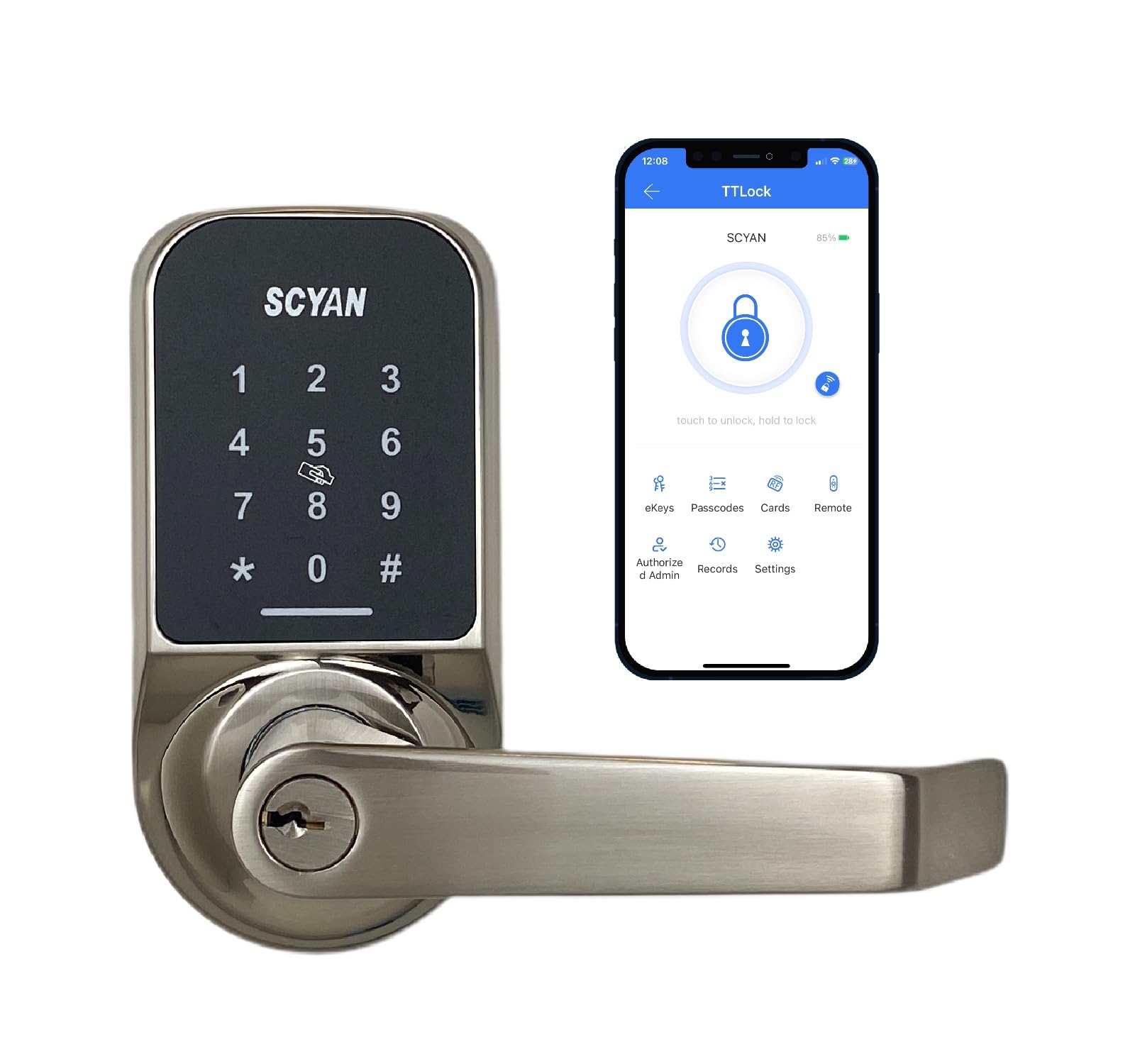
Image: SCYAN X4 Smart Door Lock, showcasing the keypad and handle design.
Ρύθμιση και εγκατάσταση
Installation of the SCYAN X4 lock is designed to be straightforward, requiring only a Phillips screwdriver. No complex wiring or professional locksmith services are typically needed.
1. Προετοιμάστε την πόρτα
- Ensure your door thickness is between 1 1/8 inches and 2 inches.
- Verify the adjustable backset is set to either 2 3/8 inches or 2 3/4 inches, matching your door's existing bore hole.
2. Install the Latch and Strike Plate
Follow the standard procedure for installing a door latch and strike plate into your door frame. Ensure the latch bolt operates smoothly.
3. Εγκαταστήστε το εξωτερικό συγκρότημα
Carefully feed the cable from the exterior keypad assembly through the door's cross-bore hole and under the latch. Position the exterior assembly flush against the door.
4. Εγκαταστήστε την εσωτερική πλάκα στήριξης
Secure the interior mounting plate to the door using the provided screws, ensuring it aligns correctly with the exterior assembly.
5. Connect Cables and Install Interior Assembly
Connect the cable from the exterior assembly to the interior assembly. Ensure the cylindrical protrusions are horizontally aligned before attaching the interior assembly. Secure the interior assembly with screws.
Video: Detailed installation guide for the SCYAN X4 touchscreen keypad door lock, including cable connections and alignment.
6. Τοποθετήστε μπαταρίες
Remove the battery cover on the interior assembly and insert 4 AA batteries (not included), ensuring correct polarity. Replace the cover.

Image: Technical drawing showing the dimensions of the SCYAN X4 Smart Door Lock for installation reference.
Λειτουργία της κλειδαριάς
Πολλαπλοί τρόποι ξεκλειδώματος
- Κωδικός πρόσβασης: Activate the touchscreen by touching any key, then enter your 4-9 digit passcode followed by '#'. The lock will unlock.
- Μπρελόκ: Present the key fob to the card reader sensor on the smart lock. The lock will unlock.
- Smartphone App (TTLock): Download the TTLock app. Pair your lock via Bluetooth. From the app, tap the unlock icon to unlock the door.
- Φυσικό Κλειδί: Use the provided "Schlage C key" as an override in case of battery failure or other issues.
App Management Features
- Passcode Generation: Create various types of passcodes: Limited Time, Permanent, One-time, or Customized.
- Διαχείριση χρηστών: Easily share access with guests or contractors.
- Διαδρομή ελέγχου: Store up to 2000 audit trail logs to track lock activity.
- Λειτουργία σίγασης: Option to turn off voice prompts via the app.
- Επίπεδο μπαταρίας: Monitor the lock's battery level directly from the app.
Auto-Locking Function
Enable auto-lock through the app and set a delay time. The lock will automatically re-lock itself after the specified delay, providing added security.
Λειτουργία απορρήτου
To enable Privacy Mode, locate the small switch on the interior side of the lock and slide it to the 'locked' position. When Privacy Mode is active, the lock cannot be unlocked from the exterior using passcodes or key fobs, enhancing privacy and security from within. To disable, slide the switch back to the 'unlocked' position.

Εικόνα: Πάνωview of SCYAN X4 Smart Door Lock features, including app control, auto-locking, and privacy mode.
Συντήρηση
- Αντικατάσταση μπαταρίας: The lock requires 4 AA batteries. Replace them promptly when the app indicates a low battery level or if the lock's voice prompts warn of low power.
- Power Run-Out: In case of complete power loss, your enrolled user codes will not be lost due to the memory function. You can use the physical key or connect a power bank via the micro USB port for temporary power.
- Καθάρισμα: Use a soft, dry cloth to clean the touchscreen and lock body. Avoid abrasive cleaners or solvents that could damage the finish or electronic components. The fingerprint-resistant touchscreen helps maintain cleanliness.
Αντιμετώπιση προβλημάτων
- Η κλειδαριά δεν αποκρίνεται: Check battery levels. If batteries are low, replace them or use the micro USB port for emergency power.
- Ο κωδικός πρόσβασης δεν λειτουργεί: Ensure the correct passcode is entered and followed by '#'. If issues persist, verify the passcode in the TTLock app.
- Key Fob Not Working: Ensure the key fob is properly registered in the app. Present it firmly against the card reader sensor.
- Ζητήματα συνδεσιμότητας εφαρμογών: Ensure Bluetooth is enabled on your smartphone and you are within range of the lock. For remote access, a separate Wi-Fi Gateway (not included) is required.
- Privacy Mode Engaged: If the lock cannot be opened from the outside, check if Privacy Mode is enabled via the switch on the interior assembly.
- Φωνητικές προτροπές: If voice prompts are not desired, they can be muted through the TTLock app settings.
Προδιαγραφές
| Χαρακτηριστικό | Λεπτομέρεια |
|---|---|
| Μάρκα | ΣΚΥΑΝΟΣ |
| Όνομα μοντέλου | X4SN |
| Τύπος κλειδώματος | Keyed One Side |
| Υλικό | Μέταλλο |
| Ειδικά Χαρακτηριστικά | Passcode Unlock, Touchscreen |
| Ρυθμιζόμενη πλάτη | 2 3/8" ή 2 3/4" |
| Συμβατότητα πάχους πόρτας | 1 1/8" έως 2" |
| Θερμοκρασία λειτουργίας | -4°F (-20°C) έως 158°F (70°C) |
| Πηγή ισχύος | 4 μπαταρίες AA (δεν περιλαμβάνονται) |
| Δύναμη έκτακτης ανάγκης | Μικρή θύρα USB |
| Πρωτόκολλο συνδεσιμότητας | Bluetooth |
| Βάρος αντικειμένου | 4.05 λίβρες (1.84 κιλά) |
Εγγύηση & Υποστήριξη
For detailed warranty information and customer support, please refer to the official SCYAN Electronics webστον ιστότοπο ή επικοινωνήστε απευθείας με την εξυπηρέτηση πελατών. Κρατήστε την απόδειξη αγοράς σας για αξιώσεις εγγύησης.
Manufacturer: Scyan Electronics LLC