
1. Το προϊόν τελείωσεview
The Amazon Echo Show 8 (3rd Generation) is a smart display designed to enhance your daily life with immersive entertainment, smart home control, and seamless communication. Featuring an 8-inch HD touchscreen and spatial audio, it offers a rich visual and auditory experience. The device integrates a built-in smart home hub for simplified control of compatible devices and a 13 MP camera for clear video calls.
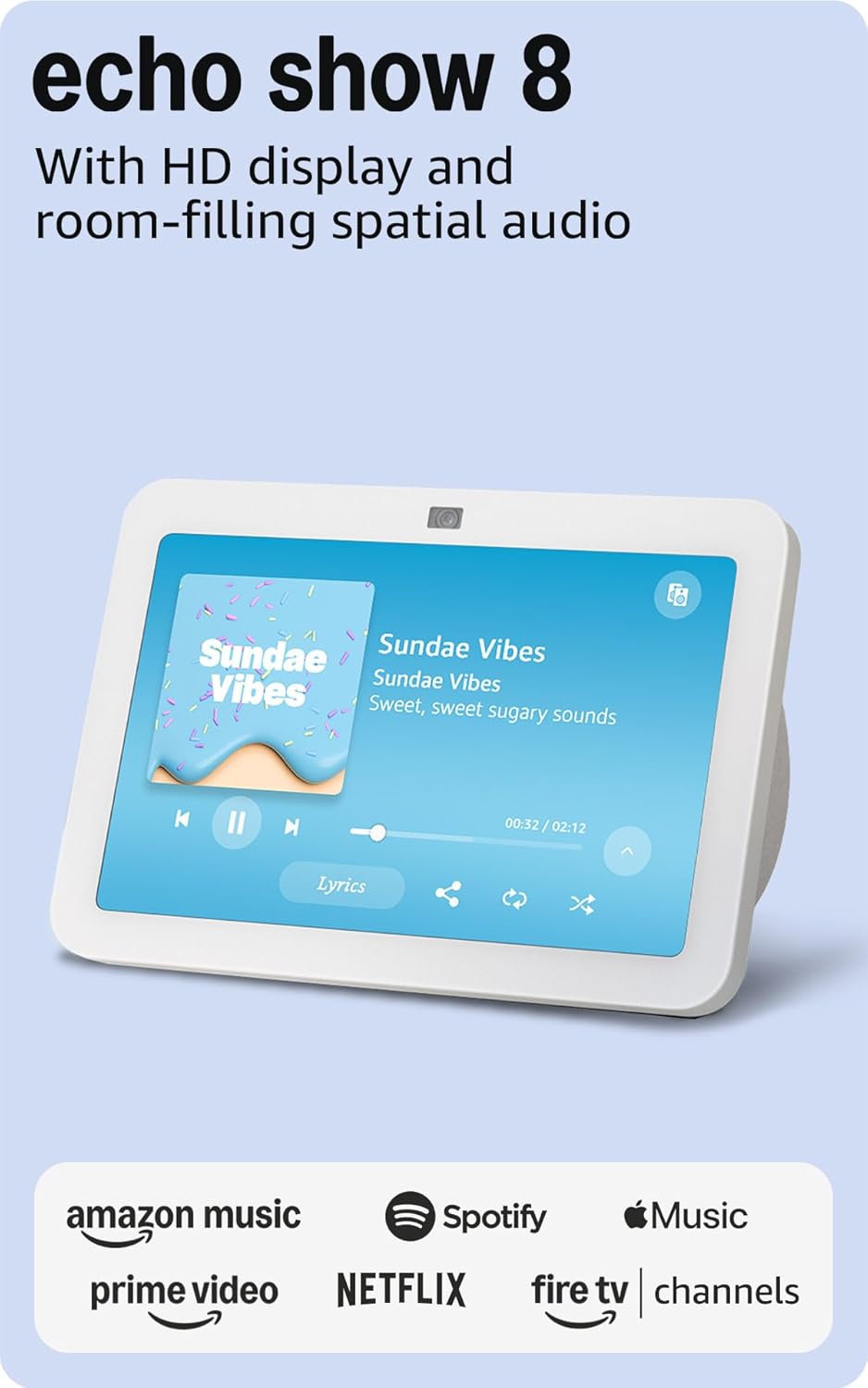
Εικόνα: Μπροστά view of the Amazon Echo Show 8 (3rd Gen) in Glacier White, displaying a music interface.
2. Τι υπάρχει στο κουτί
- Συσκευή Echo Show 8 (3ης γενιάς)
- Glacier White power adapter (30W) with 4.9 ft. cable
- Οδηγός γρήγορης εκκίνησης
3. Οδηγός εγκατάστασης
3.1 Αρχική ενεργοποίηση
- Συνδέστε τον προσαρμογέα ρεύματος στο Echo Show 8 και συνδέστε τον σε μια πρίζα.
- The device will power on automatically and display the Amazon logo.
3.2 Σύνδεση δικτύου
- Follow the on-screen instructions to select your language and connect to your Wi-Fi network. The Echo Show 8 supports dual-band Wi-Fi (802.11a/b/g/n/ac).
- For simplified setup, Amazon Wi-Fi simple setup allows compatible devices to connect to your Wi-Fi network in a few easy steps.
3.3 Amazon Account Login
- Sign in with your Amazon account credentials. An Amazon account is required for full functionality.
- If you do not have an Amazon account, you can create one at amazon.com.
ΔΕΝ Εξατομίκευση
Follow the prompts to personalize your device, including setting up Visual ID for personalized greetings and content display based on who is near the device. Alexa processes images on the device to recognize you.
4. Οδηγίες λειτουργίας
4.1 Voice Commands with Alexa
The Echo Show 8 is primarily voice-controlled. Simply say "Alexa" followed by your command or question. Exampπεριλαμβάνουν:
- «Άλεξα, βάλε μουσική.»
- «Άλεξα, τι καιρό κάνει;»
- «Άλεξα, βάλε ένα χρονόμετρο στα 10 λεπτά.»
- «Άλεξα, δείξε μου την κάμερα της μπροστινής πόρτας.»
4.2 Πλοήγηση με οθόνη αφής
The 8-inch HD touchscreen allows for intuitive navigation and control:
- Σύρετε προς τα κάτω από την κορυφή: Access quick settings like Home, Settings, Do Not Disturb, Brightness, Notifications, Alarms, Photo Frame, Communicate, Music, Smart Home, Video, and Routines.
- Swipe left from the right edge: View adaptive content such as calendar, reminders, news, and suggested activities.
- Tap icons: Interact with on-screen elements, select options, or open applications.
Image: Amazon Echo Show 8 (3rd Gen) on a kitchen counter, displaying weather information.
4.3 Χειρονομίες
The Echo Show 8 supports gestures for quick actions:
- Hold your palm towards the camera: Dismiss timers and alarms.
5. Βασικά Χαρακτηριστικά
5.1 Spatial Audio and HD Display
Experience immersive entertainment with room-filling spatial audio and an 8-inch HD touchscreen. The device features 2 x 2" full range neodymium drivers with a passive bass radiator for rich sound. Room adaptation technology automatically analyzes acoustics for optimal sound.
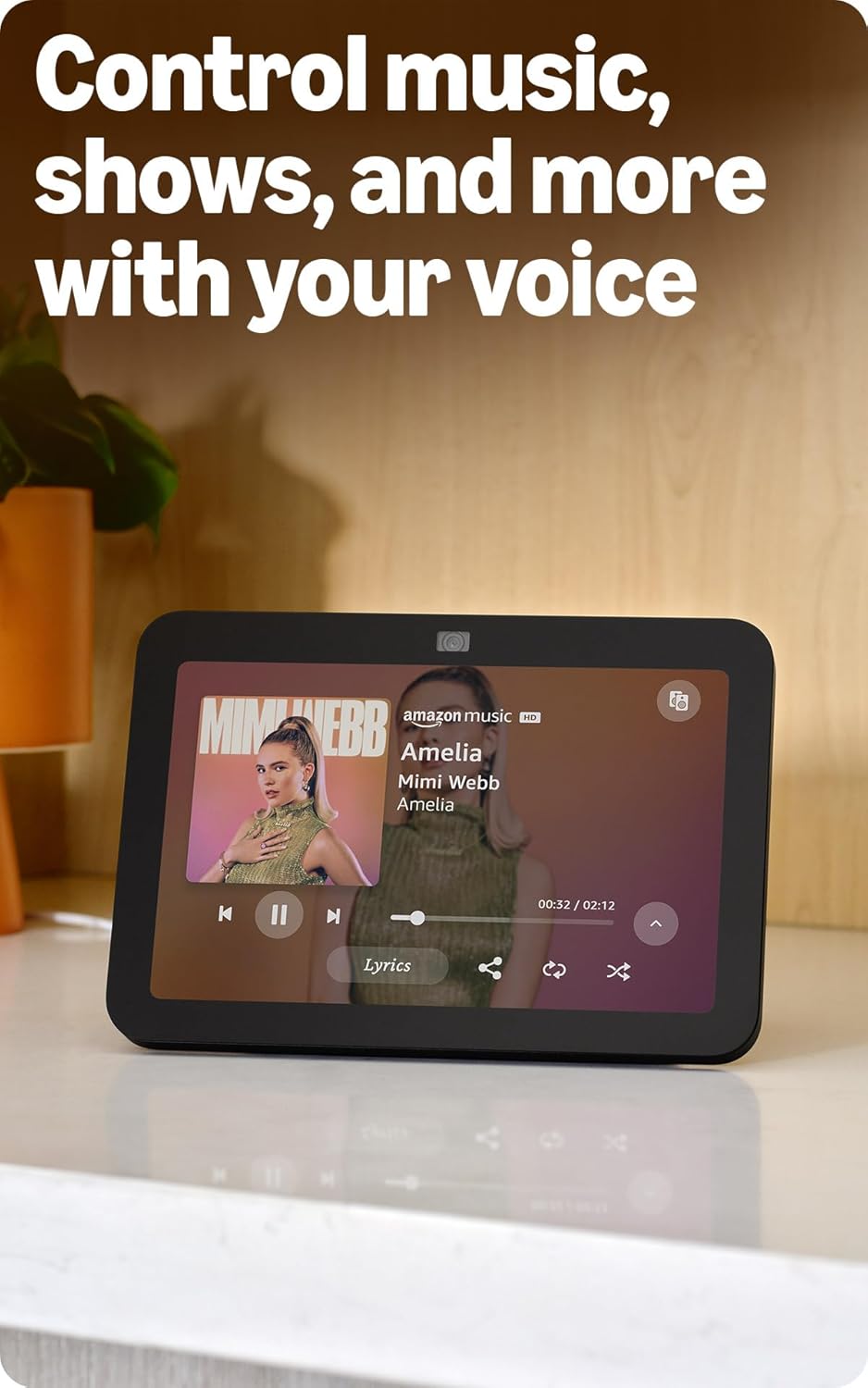
Image: Amazon Echo Show 8 (3rd Gen) showing music playback with lyrics on screen.
5.2 Enhanced Camera for Video Calls
The 13 MP centered camera with auto-framing and noise reduction technology ensures crisper video calls. The camera can keep you centered in the frame as you move. A built-in camera shutter provides privacy when needed.
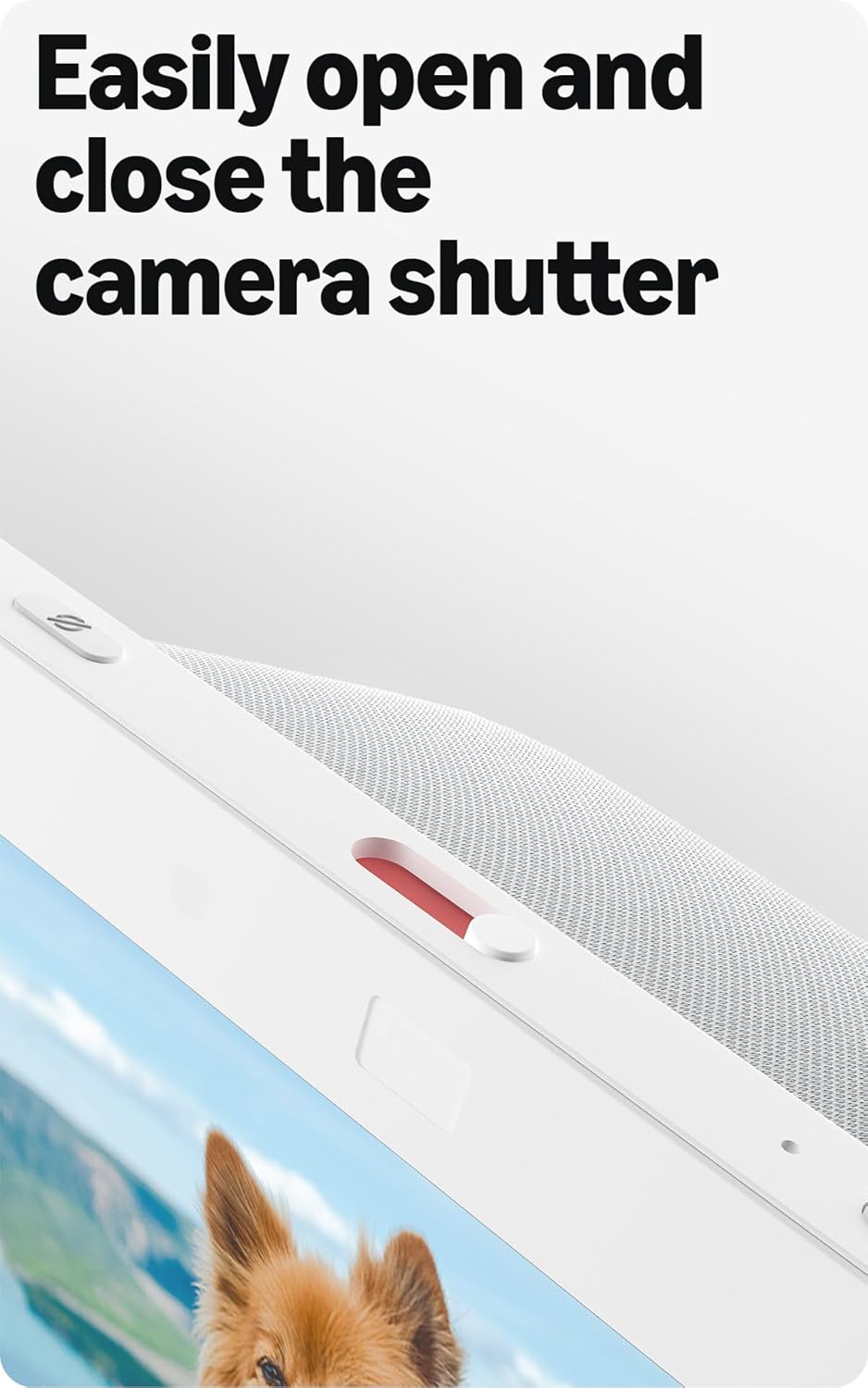
Image: Close-up of the top of the Echo Show 8 (3rd Gen) showing the physical camera shutter control.
5.3 Built-in Smart Home Hub
The Echo Show 8 includes a built-in smart home hub compatible with Zigbee, Matter, and Thread Border Router protocols. This allows you to pair and control a wide range of smart devices directly from your Echo Show 8 without needing a separate hub. Manage cameras, lights, and more using the display or your voice.
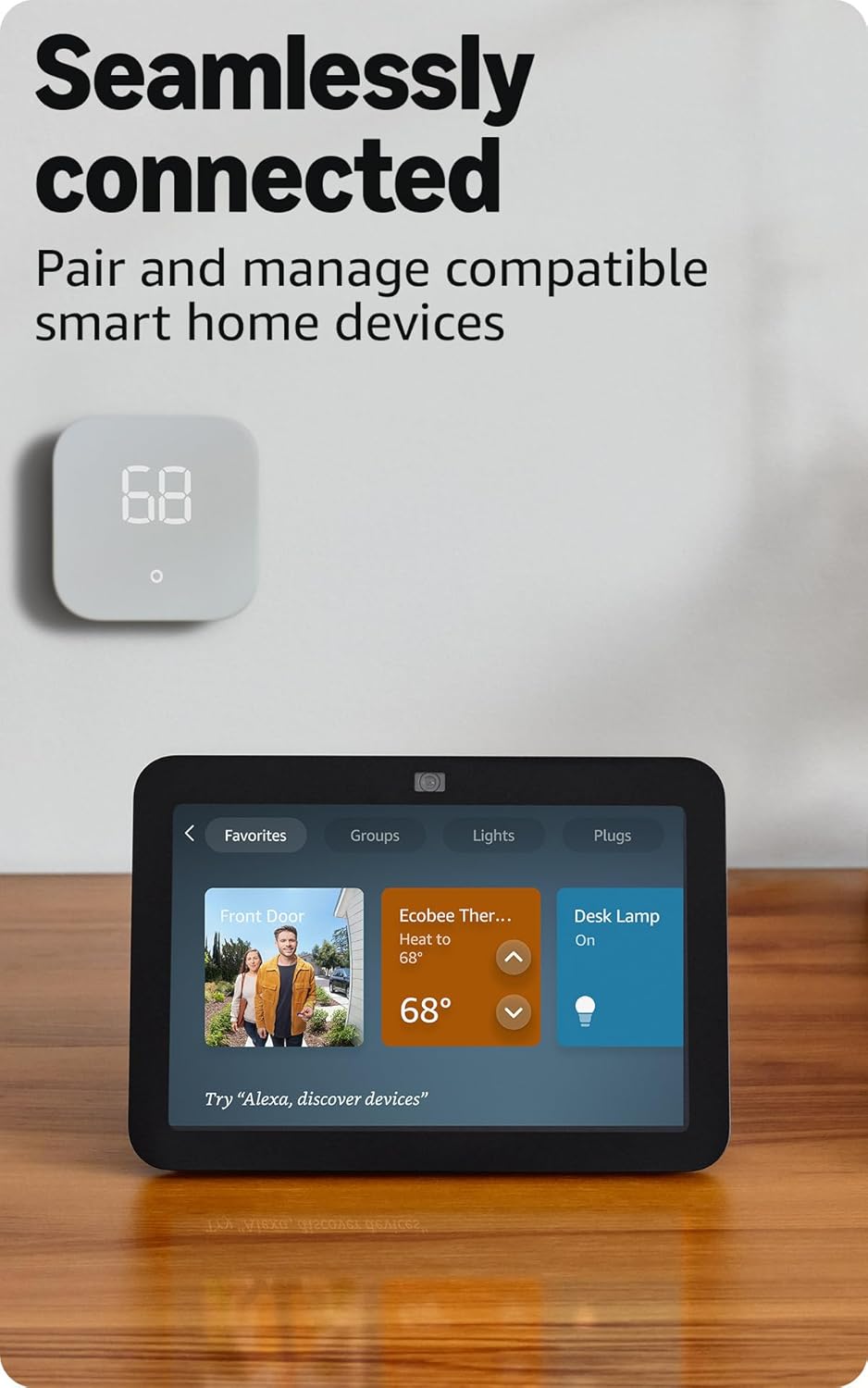
Image: Amazon Echo Show 8 (3rd Gen) screen showing smart home device controls for lights and thermostats.
5.4 Adaptive Content
Adaptive Content adjusts the information displayed on the screen based on your proximity. Glance at your calendar or reminders from afar, or see more detailed content when you're nearby. Shortcut icons on the home screen provide easy access to frequently used widgets.
6. Χαρακτηριστικά απορρήτου
Amazon Echo Show 8 is designed with multiple layers of privacy controls:
- Τεχνολογία Wake Word: The device only begins listening after detecting the wake word ("Alexa").
- Δείκτες ροής: Visual indicators confirm when audio or video is being streamed to the cloud.
- Κουμπί απενεργοποίησης μικροφώνου/κάμερας: Ένα φυσικό κουμπί σάς επιτρέπει να αποσυνδέσετε ηλεκτρονικά τα μικρόφωνα και την κάμερα.
- Ενσωματωμένο κλείστρο κάμερας: A physical slider covers the camera lens for complete visual privacy.
- Ηχογραφήσεις φωνής: Έχετε την ικανότητα να view και να διαγράψετε τις φωνητικές σας εγγραφές.
7. Προδιαγραφές
| Χαρακτηριστικό | Λεπτομέρεια |
|---|---|
| Μέγεθος | 7.9" x 5.5" x 4.2" (200 mm x 139 mm x 106 mm) |
| Βάρος | 36.6 oz (1034 γραμμάρια) |
| Επίδειξη | Οθόνη αφής HD 8.0" |
| Κάμερα | Κεντρική κάμερα 13 MP με ενσωματωμένο κλείστρο |
| Συνδεσιμότητα Wi-Fi | Dual-band Wi-Fi (802.11a/b/g/n/ac) |
| Smart Home Hub | Δρομολογητής Zigbee + Matter + Thread Border |
| Συνδεσιμότητα Bluetooth | Υποστήριξη A2DP, AVRCP |
| Ήχος | 2 οδηγοί νεοδυμίου πλήρους εύρους 2" με παθητικό ακτινοβολητή μπάσων |
| Επεξεργαστής | Οκταπύρηνο SoC με μηχανή νευρωνικού δικτύου Amazon AZ2 |
| Παραγωγή | Echo Show 8 (3ης γενιάς) - κυκλοφορία 2023 |
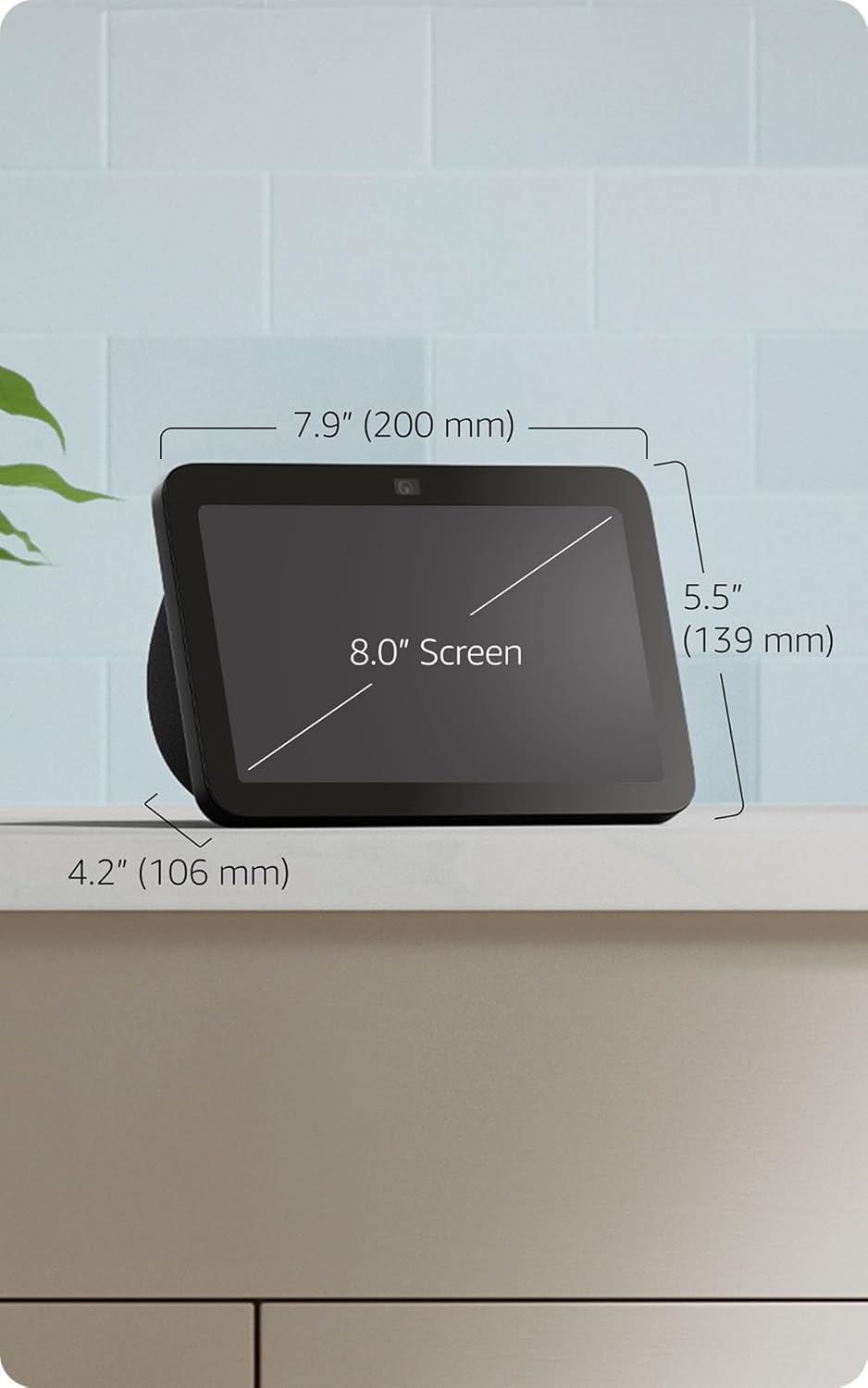
Image: Amazon Echo Show 8 (3rd Gen) with key dimensions labeled.
8. Αντιμετώπιση Προβλημάτων
8.1 Η συσκευή δεν ανταποκρίνεται
- Βεβαιωθείτε ότι η συσκευή είναι συνδεδεμένη στην πρίζα και ότι ο προσαρμογέας ρεύματος είναι καλά συνδεδεμένος.
- Ελέγξτε τη σύνδεσή σας στο διαδίκτυο.
- Verify that the microphone is not muted (red light on top indicates mute).
- Επανεκκινήστε τη συσκευή αποσυνδέοντάς την από την πρίζα για 30 δευτερόλεπτα και συνδέοντάς την ξανά.
8.2 Προβλήματα σύνδεσης Wi-Fi
- Επιβεβαιώστε ότι ο κωδικός πρόσβασης Wi-Fi είναι σωστός.
- Μετακινήστε το Echo Show 8 πιο κοντά στον δρομολογητή Wi-Fi.
- Επανεκκινήστε τον δρομολογητή και το μόντεμ Wi-Fi.
8.3 Η κάμερα δεν λειτουργεί
- Ensure the camera shutter is open.
- Check that the camera is not disabled in the device settings or Alexa app.
9. Συντήρηση
- Καθάρισμα: Use a soft, lint-free cloth to clean the screen and device exterior. Avoid abrasive cleaners or sprays.
- Ενημερώσεις λογισμικού: The device automatically receives software security updates. Ensure it is connected to Wi-Fi for updates.
- Τοποθέτηση: Place the device on a stable surface, away from heat sources, direct sunlight, and liquids.
10. Δυνατότητες προσβασιμότητας
Το Echo Show 8 περιλαμβάνει διάφορες λειτουργίες προσβασιμότητας:
- Πατήστε για Alexa: Αποκτήστε πρόσβαση στην Alexa μέσω αφής μέσω πλακιδίων στην οθόνη ή πληκτρολογίου.
- Προσαρμοστική Ακρόαση: Παρέχει περισσότερο χρόνο για να ολοκληρώσετε την ομιλία σας προτού απαντήσει η Alexa.
- Προτιμώμενο ποσοστό ομιλίας: Ελέγξτε πόσο γρήγορα ή αργά μιλάει η Alexa.
- Υπότιτλοι Alexa, Υπότιτλοι Κλήσεων, Κλειστές Υπότιτλοι: Παρέχετε λεζάντες κειμένου για το υποστηριζόμενο περιεχόμενο.
- Δείξτε και Πείτε: Helps blind or visually impaired users identify products by saying "Alexa, what am I holding."
- ΦωνήView Αναγνώστης οθόνης: Enables access for blind or visually impaired users.
- Μεγεθυντικός φακός οθόνης: Μεγέθυνση/σμίκρυνση και μετατόπιση στην οθόνη.
- Ειδοποίηση όταν βρίσκεστε κοντά: Αναπαράγει ήχους ειδοποιήσεων όταν εντοπιστεί κοντά στη συσκευή.
- Kindle Διαβάστε δυνατά: Η Alexa διαβάζει βιβλία Kindle δυνατά.
- Κείμενο σε πραγματικό χρόνο: Πληκτρολογήστε ζωντανό κείμενο σε μια βιντεοκλήση.
- Πρόσθετες ρυθμίσεις για Αντιστροφή Χρωμάτων, Διόρθωση Χρωμάτων, Αίτημα Ήχου και πολλά άλλα.
Για να ενεργοποιήσετε αυτές τις λειτουργίες, μεταβείτε στη διεύθυνση Ρυθμίσεις → Προσβασιμότητα στη συσκευή σας.
11. Εγγύηση και υποστήριξη
The Amazon Echo Show 8 (3rd Gen) includes a 1-year limited warranty and service. Optional 1-year, 2-year, and 3-year extended warranties are available for U.S. customers and sold separately. Use of Echo Show 8 is subject to these terms.
Για περαιτέρω βοήθεια, επισκεφθείτε την υποστήριξη του Amazon webιστότοπο ή επικοινωνήστε με την εξυπηρέτηση πελατών.