
Εισαγωγή
The Naxa NSH-3001 Wi-Fi Smart Camera provides reliable home security monitoring with 24/7 HD recording capabilities. This camera allows you to check in on your home remotely from anywhere using your smartphone. It features motion detection, two-way audio communication, night vision, and customizable activity alerts.
This manual provides detailed instructions for setting up, operating, and maintaining your Naxa NSH-3001 Wi-Fi Smart Camera to ensure optimal performance and security.
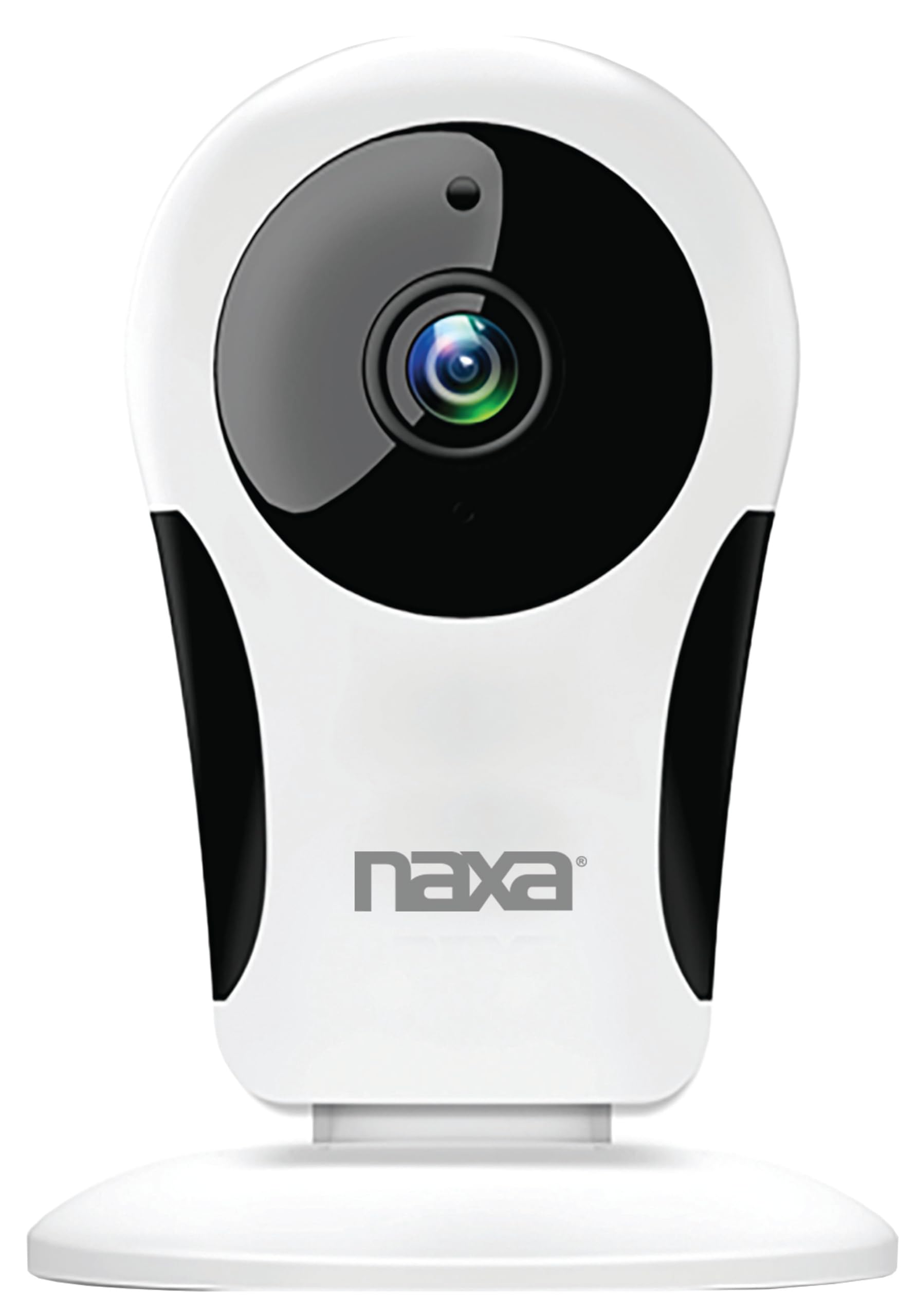
Εικόνα: Μπροστά view of the Naxa NSH-3001 Wi-Fi Smart Camera, showing the lens and Naxa logo.
Τι υπάρχει στο κουτί
Upon unpacking your Naxa NSH-3001 Wi-Fi Smart Camera, please ensure all the following components are present:
- Έξυπνη κάμερα Wi-Fi
- Μετασχηματιστής εναλλασσόμενου ρεύματος
- Καλώδιο USB
- Εγχειρίδιο χρήστη (αυτό το έγγραφο)
Προϊόν Πάνωview
Familiarize yourself with the main components of your Naxa NSH-3001 Wi-Fi Smart Camera.

Image: The Naxa NSH-3001 Wi-Fi Smart Camera displayed alongside icons representing its key features: HD Resolution, Encrypted ID, 2-Way Audio, Cloud Service, Motion Detection, IR Night Vision, Time Scheduling, and Hotspot capability.
- Φακός κάμερας: Καταγράφει βίντεο footage.
- Υπέρυθρες (IR) LED: Παρέχει δυνατότητες νυχτερινής όρασης.
- Μικρόφωνο: Για είσοδο ήχου και αμφίδρομη επικοινωνία.
- Ομιλητής: Για έξοδο ήχου και αμφίδρομη επικοινωνία.
- Θύρα Micro USB: Για σύνδεση στο ρεύμα.
- Κουμπί επαναφοράς: Χρησιμοποιείται για την επαναφορά της κάμερας στις εργοστασιακές ρυθμίσεις.
- Υποδοχή κάρτας Micro SD: Για τοπική αποθήκευση καταγεγραμμένων τροφίμωνtage (Micro SD card not included).
Οδηγός εγκατάστασης
1. Ενεργοποίηση της κάμερας
- Connect the provided USB cable to the camera's Micro USB port.
- Συνδέστε το άλλο άκρο του καλωδίου USB στο τροφοδοτικό AC.
- Συνδέστε τον προσαρμογέα εναλλασσόμενου ρεύματος σε μια τυπική ηλεκτρική πρίζα.
- The camera will power on, and an indicator light will show its status (refer to the camera's LED indicator guide for specific light patterns).
2. Downloading the Smart Life App
The Naxa NSH-3001 camera is controlled via the Smart Life app. Download it to your smartphone:
- For iOS devices, search for "Smart Life" in the Apple App Store.
- For Android devices, search for "Smart Life" in the Google Play Store.
- Install the app and create an account if you don't already have one.

Image: The Naxa NSH-3001 Wi-Fi Smart Camera shown with the Smart Life app logo and icons for the Apple App Store and Google Play, indicating app compatibility.
3. Σύνδεση σε Wi-Fi
Ensure your smartphone is connected to a 2.4 GHz Wi-Fi network. The NSH-3001 camera only supports 2.4 GHz Wi-Fi.
- Open the Smart Life app and tap "Add Device" or the "+" icon.
- Select "Security & Video Surveillance" and then "Smart Camera".
- Follow the on-screen instructions in the app to connect your camera to your Wi-Fi network. This typically involves scanning a QR code generated by the app with the camera's lens.
- Once connected, the camera's indicator light will change (refer to the LED indicator guide), and you will see the camera added to your app.
4. Τοποθέτηση της κάμερας
The NSH-3001 camera is designed for wall mount installation, but can also be placed on a flat surface. Choose a location that provides the desired viewing angle (105 degrees) and is within range of your Wi-Fi signal.

Image: The Naxa NSH-3001 Wi-Fi Smart Camera positioned on a nightstand in a bedroom, demonstrating a typical indoor placement.
- For wall mounting, use appropriate screws and anchors (not included) to secure the camera's base to the wall.
- Προσαρμόστε τη γωνία της κάμερας για να καλύψετε την επιθυμητή περιοχή.
Οδηγίες Λειτουργίας
Ζω View και Απομακρυσμένη Πρόσβαση
Once connected, you can access your camera's live feed from anywhere using the Smart Life app on your smartphone.
- Open the Smart Life app and select your NSH-3001 camera from the device list.
- The live video stream will appear.
Αμφίδρομη ακουστική επικοινωνία
The camera supports two-way audio, allowing you to hear and speak through the camera.
- Στα live view στη διεπαφή της εφαρμογής, πατήστε το εικονίδιο του μικροφώνου για να μιλήσετε.
- Πατήστε το εικονίδιο του ηχείου για να ακούσετε ήχο από την τοποθεσία της κάμερας.
Ανίχνευση κίνησης και ειδοποιήσεις
The camera can detect motion and send real-time push notifications to your phone.
- Navigate to the camera settings within the Smart Life app.
- Ενεργοποιήστε την «Ανίχνευση κίνησης» και προσαρμόστε τα επίπεδα ευαισθησίας όπως απαιτείται.
- Configure alert schedules and notification preferences.
Νυχτερινή όραση
The NSH-3001 features an IR-cut filter for clear night vision, automatically switching between day and night modes based on ambient light.
- Night mode activates automatically in low-light conditions.
- The IR-cut filter ensures optimal clarity in both day and night recordings.
Εγγραφή και αποθήκευση βίντεο
The camera supports 24/7 HD recording. Footage can be stored locally or via cloud service (subscription may be required).
- Χώρος αποθήκευσης κάρτας Micro SD: Insert a compatible Micro SD card (up to 128GB, not included) into the camera's SD card slot for continuous or event-based recording.
- Cloud Storage: Check the Smart Life app for available cloud storage options and subscription details.
- Review ηχογραφημένο footage directly through the Smart Life app.
Video Tuning
Adjust video parameters directly from your smartphone for optimal image quality.
- Within the Smart Life app, access video settings to adjust contrast, brightness, saturation, and sharpness.
Χρονοδιάγραμμα
Set schedules for camera operation, recording, or alerts.
- Use the Smart Life app's scheduling feature to define specific times for motion detection, recording, or other functions.
Συντήρηση
Proper maintenance ensures the longevity and optimal performance of your Naxa NSH-3001 Wi-Fi Smart Camera.
- Καθάρισμα: Σκουπίστε απαλά τον φακό και το σώμα της κάμερας με ένα μαλακό, στεγνό πανί. Αποφύγετε τη χρήση σκληρών χημικών ουσιών ή λειαντικών καθαριστικών.
- Ενημερώσεις λογισμικού: Regularly check the Smart Life app for firmware updates for your camera. Keeping the firmware updated ensures you have the latest features and security enhancements.
- Τοποθέτηση: Ensure the camera is placed in a stable location and protected from extreme temperatures, direct sunlight, and moisture.
Αντιμετώπιση προβλημάτων
If you encounter issues with your Naxa NSH-3001 Wi-Fi Smart Camera, refer to the following common solutions:
| Πρόβλημα | Πιθανή Λύση |
|---|---|
| Η κάμερα δεν συνδέεται σε Wi-Fi |
|
| Δεν υπάρχει ροή βίντεο στην εφαρμογή |
|
| Δεν ελήφθησαν ειδοποιήσεις κίνησης |
|
| Ο αμφίδρομος ήχος δεν λειτουργεί |
|
If problems persist, please contact Naxa customer support.
Προδιαγραφές
| Χαρακτηριστικό | Λεπτομέρεια |
|---|---|
| Όνομα μοντέλου | NSH-3001 |
| Μάρκα | Νάξα |
| Τεχνολογία Συνδεσιμότητας | Wi-Fi (2.4 GHz) |
| Ανάλυση λήψης βίντεο | 720p |
| Viewγωνιά | 105 Μοίρες |
| Ειδικό χαρακτηριστικό | Motion Sensor, Night Vision, Two-Way Audio |
| Εσωτερική/Εξωτερική χρήση | Indoor, Outdoor (Note: IP54 rating suggests splash resistance, not full outdoor weatherproofing) |
| Πηγή ισχύος | Ενσύρματο Ηλεκτρικό |
| Συμβατές Συσκευές | Smartphone (μέσω της εφαρμογής Smart Life) |
| Τύπος τοποθέτησης | Βάση τοίχου |
| Αποθήκευση | Micro SD Card (up to 128GB, not included), Cloud Storage (optional) |
| Διαστάσεις (Μ x Π x Υ) | 3.2 x 3.2 x 4.3 ίντσες |
| Βάρος αντικειμένου | 3.2 ουγγιές |
| Υλικό | Πλαστική ύλη |
| Διεθνής αξιολόγηση προστασίας | IP54 |
Εγγύηση και υποστήριξη
Naxa Electronics, Inc. manufactures the NSH-3001 Wi-Fi Smart Camera. For specific warranty information, please refer to the warranty card included with your product or visit the official Naxa webτοποθεσία.
For technical support, troubleshooting assistance beyond this manual, or inquiries about your product, please contact Naxa customer service. Contact details can typically be found on the Naxa webστον ιστότοπο ή στη συσκευασία του προϊόντος.
Naxa Official Webτοποθεσία: www.naxa.com