
1. Το προϊόν τελείωσεview
The JADEMALL Keyboard Case provides a protective cover and a detachable wireless Bluetooth keyboard for your iPad Mini. It enhances productivity and offers multiple viewing angles for various tasks.

Image: The JADEMALL Keyboard Case shown with an iPad Mini, illustrating its use as a laptop-style setup, a stand, a tent mode, and as a protective tablet cover.
2. Αρμονία
This keyboard case is designed to be compatible with the following iPad Mini models. Please verify your iPad model number before use.
- iPad Mini 5 (2019): Μοντέλα A2133, A2124, A2126, A2125
- iPad Mini 4: Models A1538, A1550
- iPad Mini 3: Models A1599, A1600
- iPad Mini 2: Μοντέλα A1489, A1490, A1491
- iPad Mini 1: Μοντέλα A1432, A1454, A1455

Image: A visual guide displaying an iPad Mini back and a table listing compatible iPad Mini models and their corresponding model numbers (e.g., A2124).
3. Τι υπάρχει στο κουτί
Κατά την αποσυσκευασία, βεβαιωθείτε ότι υπάρχουν όλα τα ακόλουθα στοιχεία:
- JADEMALL Mini Keyboard Case
- Καλώδιο φόρτισης USB
- Εγχειρίδιο χρήστη (αυτό το έγγραφο)
4. Οδηγίες εγκατάστασης
4.1 Φόρτιση του πληκτρολογίου
Before initial use, fully charge the keyboard. Connect the provided USB charging cable to the keyboard's charging port and a USB power source. The charging indicator light will illuminate during charging and turn off when fully charged.
- Χρόνος φόρτισης: Περίπου 3-4 ώρες για πλήρη φόρτιση.
- Operating Time: Up to 80 hours of uninterrupted work with backlights off.
- Χρόνος αναμονής: Έως 60 ημέρες.

Image: An illustration demonstrating the keyboard charging process via a Type-C USB cable and indicating battery life for charging, typing, and standby modes.
4.2 Σύζευξη του πληκτρολογίου μέσω Bluetooth
- Βεβαιωθείτε ότι το πληκτρολόγιο είναι φορτισμένο.
- Turn on the keyboard by sliding the power switch to the 'ON' position. The 'CONNECT' indicator light will flash.
- On your iPad Mini, go to Ρυθμίσεις > Bluetooth.
- Ενεργοποιήστε το Bluetooth. Το iPad σας θα αναζητήσει διαθέσιμες συσκευές.
- Select 'Bluetooth Keyboard' (or similar name) from the list of devices.
- If prompted, enter the pairing code displayed on your iPad onto the keyboard and press Εισάγω.
- Once paired, the 'CONNECT' indicator light on the keyboard will turn off, and your iPad will show the keyboard as 'Connected'.
5. Οδηγίες λειτουργίας
Έλεγχος οπίσθιου φωτισμού 5.1
The keyboard features 7-color adjustable backlights with 3 brightness levels.
- To turn on/off the backlight: Press Fn + Εικονίδιο λάμπας κλειδί.
- Για να αλλάξετε το χρώμα του οπίσθιου φωτισμού: Πατήστε το κουμπί "" Fn + Εικονίδιο λάμπας κλειδί επανειλημμένα.
- Για να ρυθμίσετε τη φωτεινότητα του οπίσθιου φωτισμού: Πατήστε το κουμπί "" Fn + Πάνω βέλος or Κάτω βέλος κλειδιά.

Image: A close-up of the keyboard highlighting the 'Fn' key and the 'Light Bulb' key for backlight control, showing various backlight colors.
5.2 Λειτουργία αυτόματης αφύπνισης/ύπνου
The case supports automatic wake and sleep functionality. Opening the case will wake your iPad, and closing it will put your iPad to sleep, helping to conserve battery life.
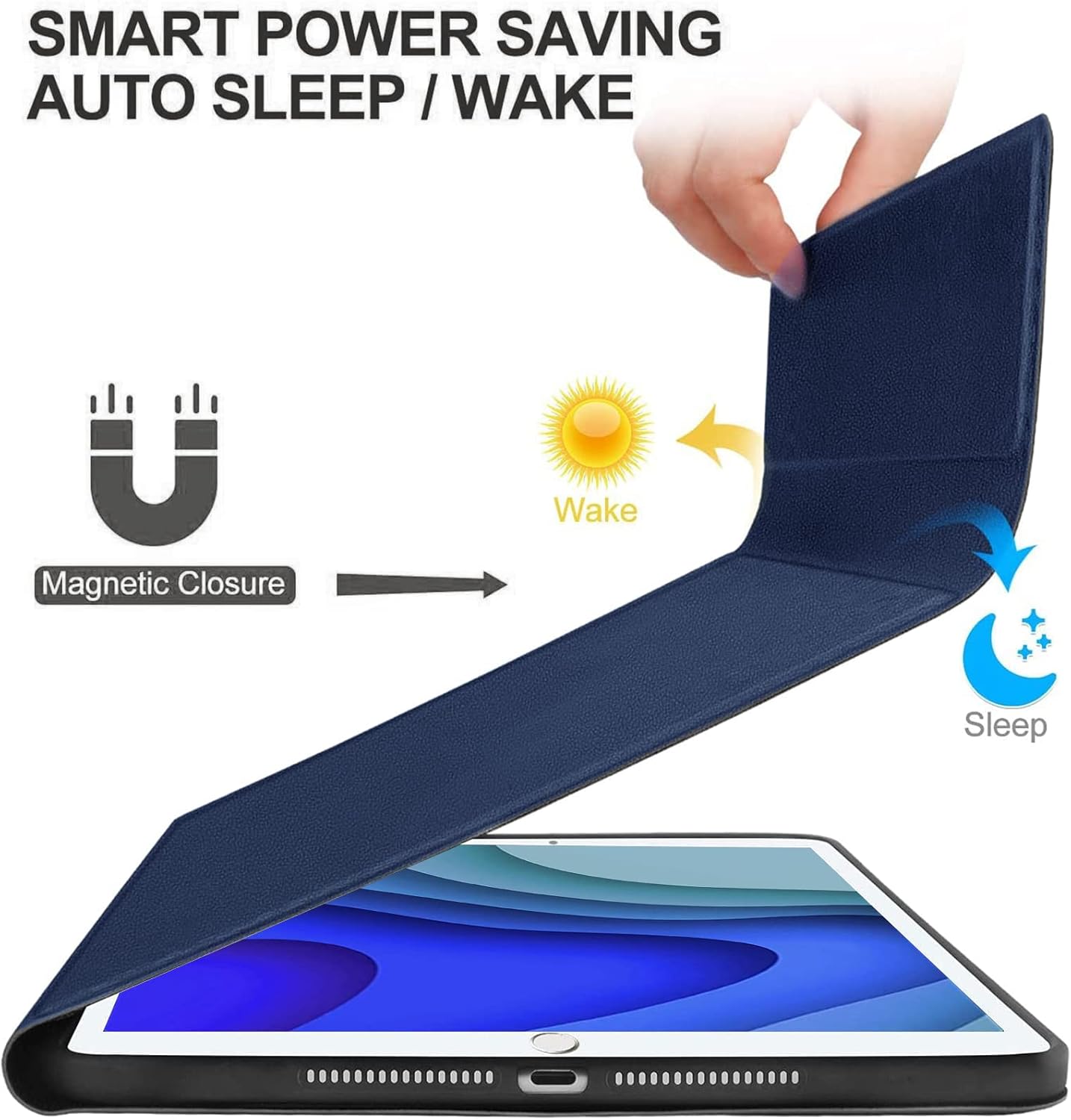
Image: A hand opening the keyboard case, with arrows indicating the 'Wake' function, and the case closing, indicating the 'Sleep' function.
5.3 Ρύθμιση Viewγωνίες
The magnetic design allows for flexible positioning of your iPad Mini, providing multiple viewing angles for typing, viewing, reading, or video calls.

Image: The keyboard case configured in 'Laptop', 'Stand', and 'Tent' modes, showcasing different viewing angles for the iPad Mini.
5.4 Changing Operating Systems
The wireless keyboard is compatible with multiple operating systems. To switch between them, press the following key combinations:
- For iOS: Press Fn + Q
- Για Android: Πατήστε Fn + W
- Για Windows: Πατήστε Fn + E
6. Συντήρηση
6.1 Καθαρισμός
To clean the keyboard and case, use a soft, damp cloth. Avoid using harsh chemicals or abrasive materials that could damage the surfaces. Ensure the keyboard is powered off and disconnected from any power source before cleaning.
6.2 Φροντίδα μπαταρίας
To prolong battery life, avoid fully discharging the keyboard frequently. Charge the keyboard regularly, even if not in constant use. Store the keyboard in a cool, dry place when not in use for extended periods.
7. Αντιμετώπιση Προβλημάτων
- Το πληκτρολόγιο δεν συνδέεται:
- Ensure the keyboard is powered on and fully charged.
- Make sure Bluetooth is enabled on your iPad Mini.
- Try unpairing and re-pairing the keyboard from your iPad's Bluetooth settings.
- Restart both your iPad Mini and the keyboard. - Τα πλήκτρα δεν ανταποκρίνονται:
- Check if the keyboard is charged and connected via Bluetooth.
- Ensure no debris is lodged under the keys.
- Try restarting the keyboard. - Ο οπίσθιος φωτισμός δεν λειτουργεί:
- Βεβαιωθείτε ότι το πληκτρολόγιο είναι ενεργοποιημένο.
- Πιέστε Fn + Εικονίδιο λάμπας για εναλλαγή μεταξύ των λειτουργιών οπίσθιου φωτισμού. - Auto Wake/Sleep not functioning:
- Ensure your iPad Mini is properly seated in the case.
- Check your iPad's settings to ensure 'Lock/Unlock' (or similar) is enabled under 'Display & Brightness' or 'General'.
8. Προδιαγραφές
| Διαστάσεις προϊόντος | 8.07 x 5.71 x 0.59 ίντσες |
| Βάρος αντικειμένου | 1.09 λίρες |
| Κατασκευαστής | JADEMALL |
| Μπαταρίες | 1 μπαταρία (περιλαμβάνεται) |
| Τεχνολογία Συνδεσιμότητας | Bluetooth, USB |
| Περιγραφή πληκτρολογίου | Multi Functional, Wireless, Bluetooth Connection |
| Ειδικό χαρακτηριστικό | Detachable Keyboard, Adjustable Backlit, Magnetic Attachment |
| Υλικό | Ακρυλονιτρίλιο βουταδιένιο στυρένιο (ABS) |
| Υποστήριξη χρώματος οπίσθιου φωτισμού πληκτρολογίου | RGB (7 χρώματα) |
9. Εξυπηρέτηση και Υποστήριξη Πελατών
If you encounter any issues or have questions regarding your JADEMALL Keyboard Case, please do not hesitate to contact our customer service team. We are committed to providing support and resolving any concerns within 24 hours.
Please refer to the contact information provided with your purchase or visit the official JADEMALL webτοποθεσία για λεπτομέρειες υποστήριξης.