
ExquizOn S6
ExquizOn S6 Mini Cube Pico DLP Projector User Manual
Μοντέλο: S6
1. Εισαγωγή
Ευχαριστώ για την αγοράasing the ExquizOn S6 Mini Cube Pico DLP Projector. This compact and portable projector is designed to provide a versatile viewing experience, supporting up to 1080P resolution with wireless connectivity options. Please read this manual thoroughly before operating the device to ensure proper use and maintenance.

Image: The ExquizOn S6 Mini Cube Pico Projector, demonstrating its small, portable size when held in a hand.
2. Πληροφορίες Ασφάλειας
Για να διασφαλίσετε την ασφαλή λειτουργία και να αποφύγετε ζημιές, λάβετε υπόψη τις ακόλουθες προφυλάξεις:
- Μην κοιτάτε απευθείας στον φακό του προβολέα όταν το lamp είναι ενεργοποιημένο.
- Do not place the projector in direct sunlight or near heat sources.
- Avoid placing the projector in areas with excessive dust, humidity, or vibrations.
- Χρησιμοποιήστε μόνο τον προσαρμογέα ρεύματος που παρέχεται με τον προβολέα.
- Μην επιχειρήσετε να αποσυναρμολογήσετε ή να τροποποιήσετε τον προβολέα. Αναθέστε όλες τις εργασίες σέρβις σε εξειδικευμένο προσωπικό.
- Κρατήστε τον προβολέα μακριά από νερό ή άλλα υγρά.
- Βεβαιωθείτε ότι υπάρχει σωστός αερισμός γύρω από τον προβολέα για να αποφύγετε την υπερθέρμανση.
3. Περιεχόμενα συσκευασίας
Παρακαλώ, επιλέξτε το πλαίσιο για τα ακόλουθα στοιχεία:
- ExquizOn S6 Mini Cube Pico Projector
- Καλώδιο HDMI
- Micro HDMI Connector
- Καλώδιο τροφοδοσίας
- Μετασχηματιστής ρεύματος
- Μίνι τρίποδο
- Τηλεχειριστήριο
- Εγχειρίδιο χρήστη (αυτό το έγγραφο)

Image: A visual representation of the ExquizOn S6 projector and its accompanying accessories, including cables, adapter, tripod, and remote control.
4. Το προϊόν τελείωσεview
4.1. Στοιχεία Προβολέα
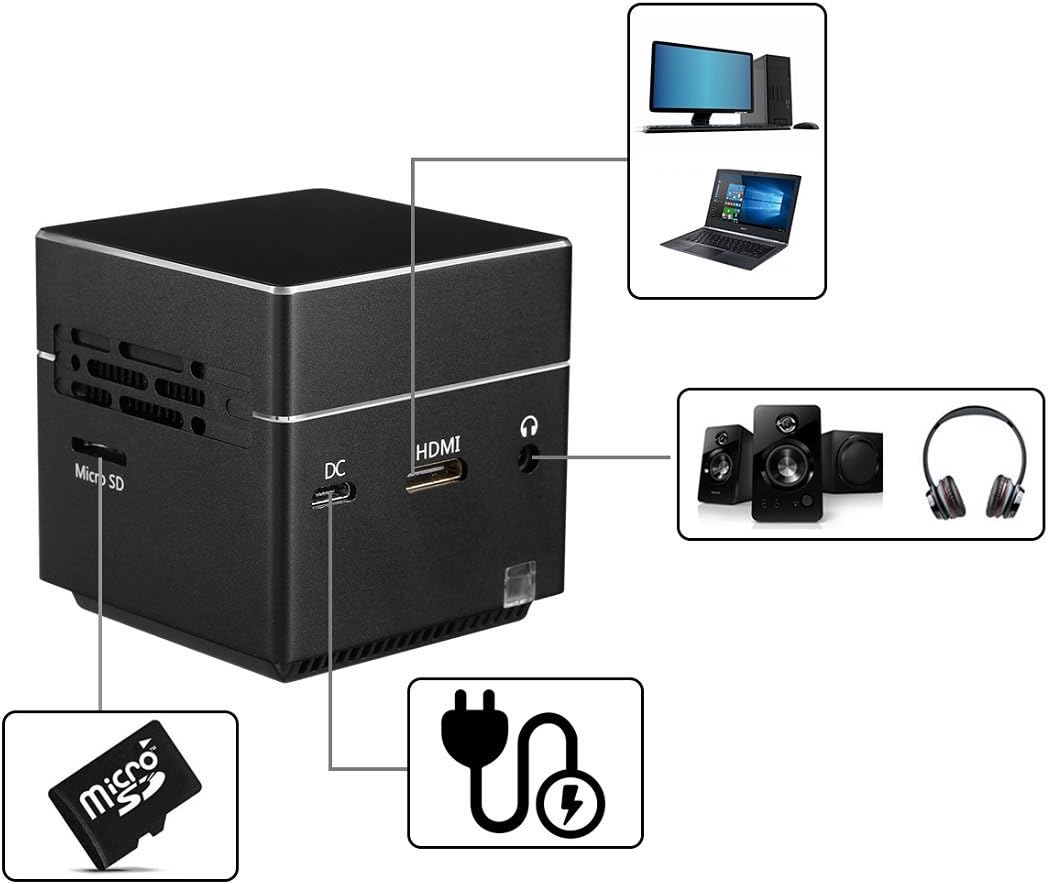
Εικόνα: Μια λεπτομερής view of the ExquizOn S6 projector's side panel, highlighting the Micro SD card slot, DC power input, HDMI input, and 3.5mm audio output jack.
The ExquizOn S6 projector features a compact design with essential ports for connectivity:
- Φακός προβολέα: Εκπέμπει την εικόνα.
- Τροχός εστίασης: Ρυθμίζει την ευκρίνεια της εικόνας.
- Κουμπί λειτουργίας: Ενεργοποιεί/απενεργοποιεί τον προβολέα.
- Κουμπιά έντασης ήχου (+/-): Ρυθμίζει την ένταση του ήχου.
- Κουμπί εισαγωγής: Επιβεβαιώνει τις επιλογές.
- Υποδοχή Micro SD: For multimedia playback from a Micro SD card.
- Έξοδος DC: Συνδέεται με τον προσαρμογέα ρεύματος για φόρτιση και λειτουργία.
- Mini HDMI Input: Connects to HDMI-enabled devices (e.g., laptops, game consoles).
- Έξοδος ήχου 3.5 mm: Συνδέεται με εξωτερικά ηχεία ή ακουστικά.
5. Ρύθμιση
5.1. Φόρτιση του προβολέα
Before first use, fully charge the projector. Connect the power adapter to the DC input port on the projector and plug it into a power outlet. The charging indicator light will show the charging status.
5.2. Τοποθέτηση και τοποθέτηση
Place the projector on a stable, flat surface. For optimal image quality, project onto a smooth, light-colored wall or a projector screen. The included mini tripod can be attached to the bottom of the projector for adjustable positioning.
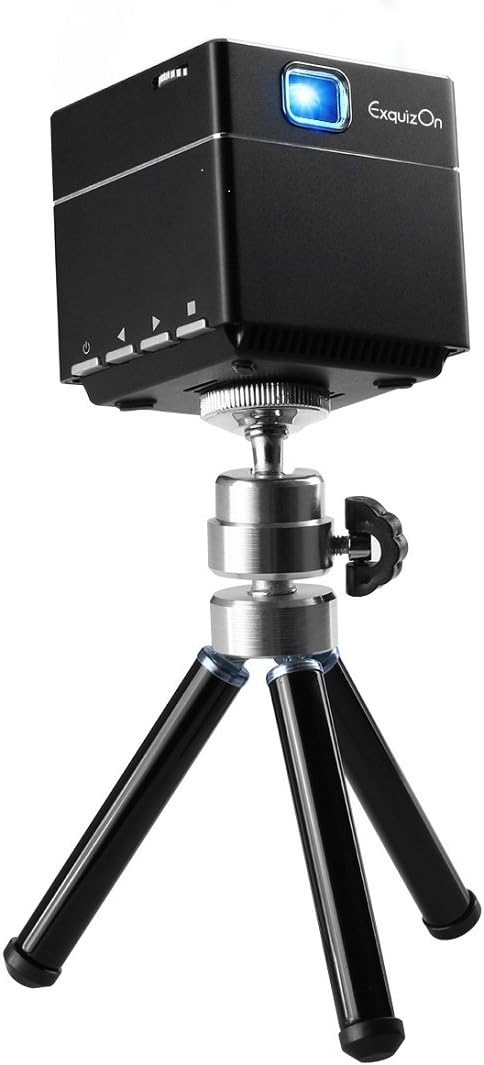
Image: The ExquizOn S6 projector securely mounted on its compact mini tripod, ready for stable projection.
5.3. Ενεργοποίηση/Απενεργοποίηση
Press and hold the Power button on the projector or remote control to turn the device on or off.
6. Λειτουργία
6.1. Ρύθμιση εστίασης
Rotate the focus wheel located near the lens until the projected image appears clear and sharp.
6.2. Σύνδεση συσκευών
Ο προβολέας υποστηρίζει διάφορες πηγές εισόδου:
- HDMI: Connect your laptop, game console, TV box, or other HDMI-enabled devices using the provided HDMI cable and Micro HDMI connector.
- Κάρτα Micro SD: Insert a Micro SD card into the designated slot for direct multimedia playback.

Image: An illustration demonstrating the ExquizOn S6 projector's compatibility with a wide range of devices, including game consoles, Micro SD cards, smartphones, tablets, laptops, cameras, and TV boxes.
6.3. Wireless Mirroring (Screen Mirroring)
The projector supports wireless mirroring for compatible devices:
- For Android OS Devices: Use Miracast to mirror your screen.
- For iOS Devices (iOS 9.0, 10): Use AirPlay to mirror your screen.
Refer to your device's manual for specific instructions on enabling Miracast or AirPlay.
6.4. Enjoying the Bigger Screen
The projector can create a screen size from 7 inches up to 100 inches, providing a flexible viewing experience for various environments.

Image: A visual comparison illustrating the significant difference in size between a standard 32-inch television screen and a 100-inch image projected by the ExquizOn S6 projector.
The projector supports resolutions up to 1080P, offering clear and vibrant images.

Image: A side-by-side comparison demonstrating the enhanced image clarity and detail achieved by the ExquizOn S6 projector (bottom) compared to a generic projector (top), particularly noticeable in landscape scenes.
6.5. Σενάρια Χρήσης
The portable design allows for versatile use, from home entertainment to outdoor activities.
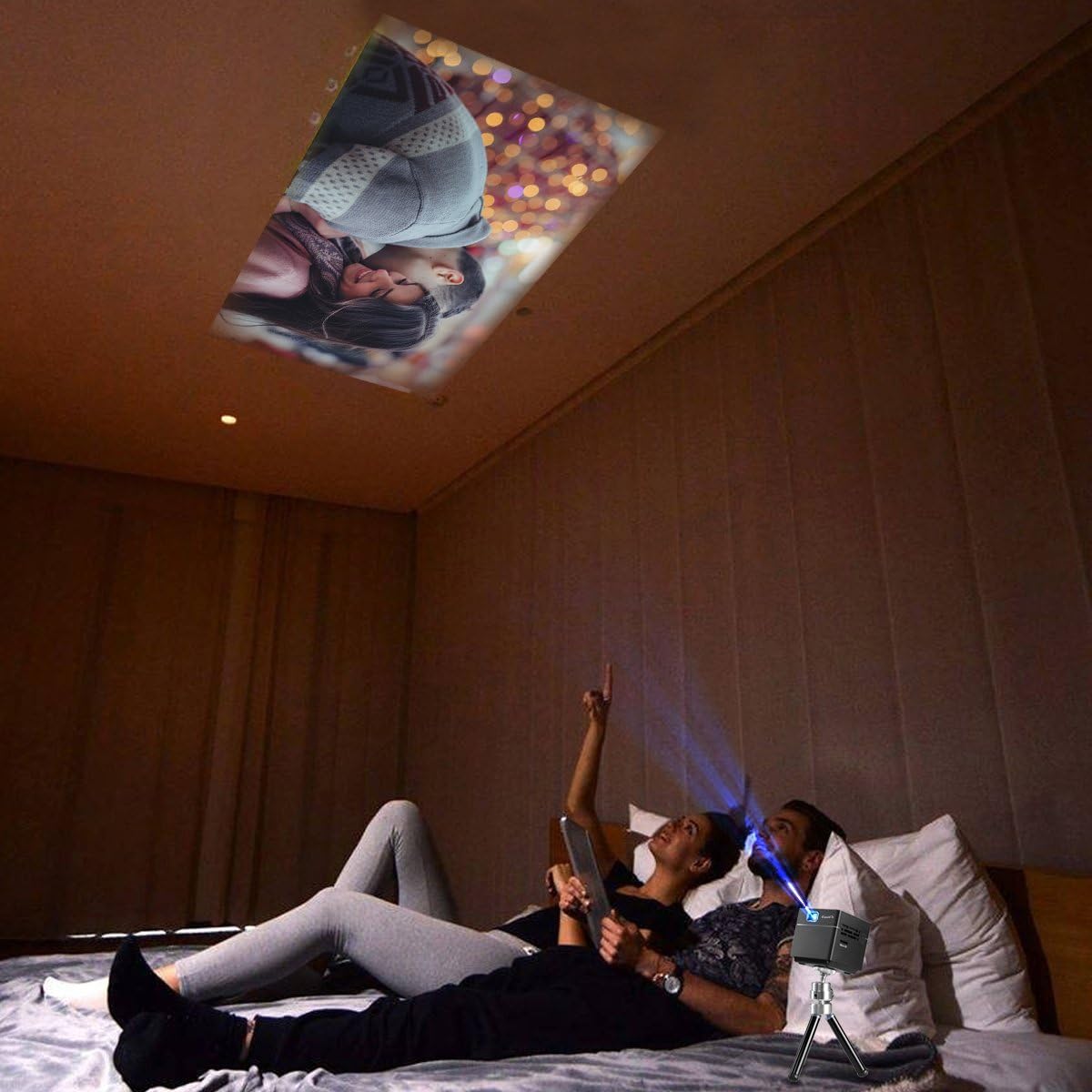
Image: A couple relaxing in bed, enjoying a movie projected onto the ceiling by the ExquizOn S6 projector, illustrating a comfortable indoor viewεμπειρία.

Image: Individuals enjoying a projected movie on the inside wall of a tent during a campταξίδι, επίδειξηasing the projector's portability for outdoor entertainment.
7. Συντήρηση
7.1. Καθαρισμός του φακού
Χρησιμοποιήστε ένα μαλακό πανί που δεν αφήνει χνούδι, ειδικά σχεδιασμένο για οπτικούς φακούς, για να σκουπίσετε απαλά τον φακό του προβολέα. Μην χρησιμοποιείτε λειαντικά καθαριστικά ή διαλύτες.
7.2. Καθαρισμός του σώματος του προβολέα
Σκουπίστε το εξωτερικό του προβολέα με ένα μαλακό, στεγνό πανί. Για επίμονα σημάδια,amp μπορεί να χρησιμοποιηθεί ένα πανί και στη συνέχεια ένα στεγνό πανί.
7.3. Αποθήκευση
Όταν δεν χρησιμοποιείτε τον προβολέα για μεγάλα χρονικά διαστήματα, αποθηκεύστε τον σε δροσερό και ξηρό μέρος, μακριά από το άμεσο ηλιακό φως και τις ακραίες θερμοκρασίες. Χρησιμοποιήστε την αρχική συσκευασία ή μια προστατευτική θήκη για να αποτρέψετε τη συσσώρευση σκόνης και την πρόκληση ζημιών.
8. Αντιμετώπιση Προβλημάτων
| Πρόβλημα | Πιθανή αιτία | Διάλυμα |
|---|---|---|
| Δεν προβάλλεται εικόνα |
|
|
| Η εικόνα είναι θολή |
|
|
| Κανένας ήχος |
|
|
| Ο ασύρματος κατοπτρισμός δεν λειτουργεί |
|
|
9. Προδιαγραφές
| Χαρακτηριστικό | Λεπτομέρεια |
|---|---|
| Τεχνολογία εμφάνισης | DLP |
| Λάμψη | 100 Lumens |
| Εγγενής ανάλυση | FWVGA (854 x 480) |
| Συμβατή ανάλυση | 640 x 480 - 1920 x 1080 (up to 1080p) |
| Πηγή φωτός | RGB LED OSRAM |
| LED Working Life | +30,000 ώρες |
| Αναλογία αντίθεσης | 1000:1 |
| Λόγος οθόνης | 16:9 |
| Αναλογία ρίψεων | 1.2:1 |
| Ρυθμός ανανέωσης | 60Hz |
| Μέγεθος οθόνης προβολής | 7" - 100" |
| Ενσωματωμένο ηχείο | 8 ohm 1.5W (x1) |
| Ενσωματωμένη μπαταρία | Li-polymer, 2500mAh |
| Working Time (Battery) | Περίπου 2 ώρα |
| Ασύρματο καθρέφτη | Miracast (Android), AirPlay (iOS 9.0, 10) |
| Διεπαφές | Mini HDMI x 1 (1.4 Line), Micro SD x 1, DC x 1, 3.5mm Stereo Audio Output x 1 |
| Διαστάσεις προϊόντος | 5.49 x 5.49 x 5.49 εκ |
| Βάρος αντικειμένου | 172.37 γρ |
10. Εγγύηση και υποστήριξη
For warranty information and technical support, please refer to the official ExquizOn webή επικοινωνήστε με τον τοπικό σας διανομέα. Κρατήστε την απόδειξη αγοράς ως απόδειξη αγοράς για τυχόν αξιώσεις εγγύησης.
Στοιχεία επικοινωνίας: Παρακαλώ επισκεφθείτε www.exquizon.com για τις πιο πρόσφατες πληροφορίες υποστήριξης και τα στοιχεία επικοινωνίας.