
1. Το προϊόν τελείωσεview
The TP-Link TL-WA750RE is a 150Mbps Universal Wireless Range Extender designed to expand the coverage of an existing wireless network. It eliminates Wi-Fi dead zones by boosting the wireless signal to previously unreachable or hard-to-wire areas. Its compact, wall-mounted design allows for flexible deployment and easy relocation within your home or office.
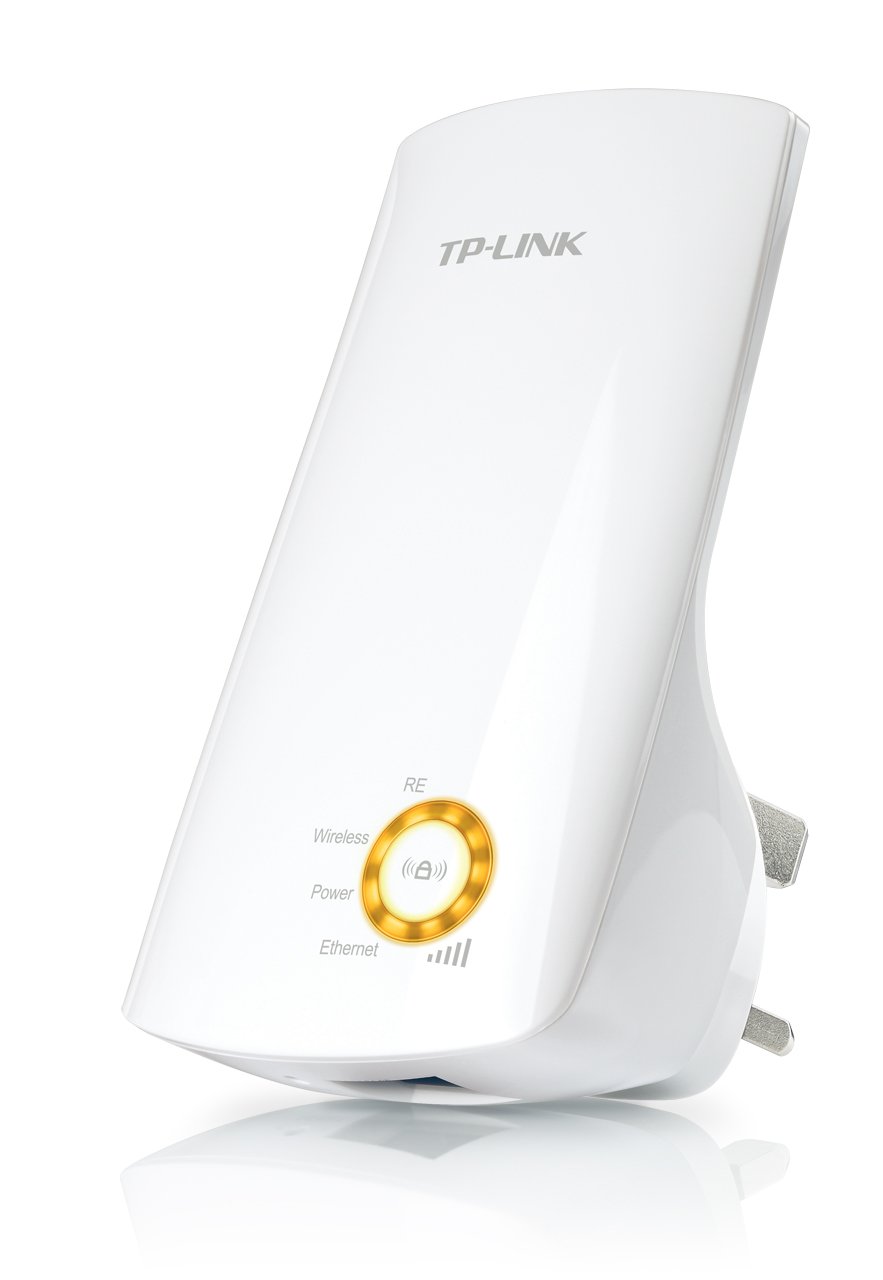
Εικόνα 1: TP-Link TL-WA750RE Universal Wireless Range Extender. This image shows the device in its retail packaging, highlighting its compact design and wall-plug form factor.
2. Βασικά Χαρακτηριστικά
- Λειτουργία επέκτασης εύρους: Boosts wireless signal to eliminate Wi-Fi dead zones and extend network coverage.
- Συμπαγής σχεδιασμός: Small size and wall-mounted design for easy deployment and flexible movement.
- Κουμπί WPS: Allows for instant setup and secure connection with compatible routers.
- Έξυπνη ένδειξη σήματος: Helps users find the optimal location for placing the range extender for best performance.
- Καθολική συμβατότητα: Works seamlessly with all 802.11n/g/b wireless devices.
3. Περιεχόμενα συσκευασίας
Η συσκευασία του προϊόντος συνήθως περιλαμβάνει τα ακόλουθα στοιχεία:
- TP-Link TL-WA750RE 150Mbps Universal Wireless Range Extender
- Εγχειρίδιο οδηγιών
4. Οδηγός εγκατάστασης
4.1. Γρήγορη ρύθμιση χρησιμοποιώντας το κουμπί WPS
- Βάζω στη πρίζα: Plug the TL-WA750RE into an electrical outlet near your wireless router.
- Ενεργοποίηση WPS στο δρομολογητή: Press the WPS button on your main wireless router. Refer to your router's manual for the exact location and procedure.
- Ενεργοποίηση WPS στην επέκταση: Within two minutes, press the WPS button on the TL-WA750RE. The Signal LED on the extender should begin to flash.
- Αναμονή για σύνδεση: The Signal LED will turn solid blue or green when a successful connection is established.
- Μετατόπιση επέκτασης: Unplug the extender and move it to a location between your router and the Wi-Fi dead zone. Ensure the Signal LED indicates a strong connection (e.g., solid blue or green) in the new location.
4.2. Manual Setup via Web Πρόγραμμα περιήγησης
- Βάζω στη πρίζα: Plug the TL-WA750RE into an electrical outlet near your computer.
- Σύνδεση με την επέκταση: Connect your computer to the extender's Wi-Fi network (e.g., "TP-LINK_Extender_XXXXXX"). No password is required initially.
- Πρόσβαση Web Διεπαφή: Ανοίξτε α web πρόγραμμα περιήγησης και πληκτρολογήστε http://tplinkrepeater.net or the extender's default IP address (usually 192.168.0.254) into the address bar.
- Είσοδος: Enter "admin" for both the username and password when prompted.
- Ακολουθήστε τις οδηγίες επί της οθόνης: Use the Quick Setup wizard to select your main Wi-Fi network and enter its password.
- Μετατόπιση επέκτασης: Once configured, unplug the extender and move it to an optimal location between your router and the desired coverage area.
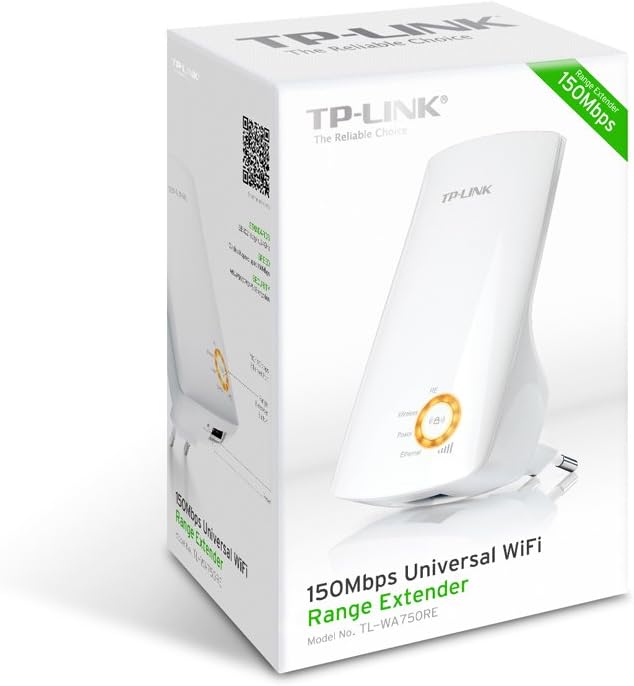
Εικόνα 2: Πλευρά view of the TL-WA750RE. This image illustrates the physical layout of the device, including the WPS button and Ethernet port, which are crucial for setup and operation.
5. Λειτουργία του Επεκτατή Εμβέλειας
Once the TL-WA750RE is successfully set up, it will automatically extend your existing Wi-Fi network. Devices within the extended range can connect to the network name created by the extender (e.g., "YourNetworkName_EXT").
5.1. Έξυπνη ένδειξη σήματος
The Smart Signal Indicator LEDs on the front of the device provide real-time feedback on the signal strength received from your main router. This helps you determine the best placement for the extender:
- Συμπαγές μπλε/πράσινο: Excellent signal strength.
- Συμπαγές κόκκινο: Weak signal strength. Consider relocating the extender closer to your router.
- Μακριά από: No connection to the main router.
5.2. Ethernet Port Usage
The TL-WA750RE includes an Ethernet port. This port can be used to connect a wired device, such as a desktop computer, gaming console, or smart TV, to your wireless network, providing a stable wired connection in the extended Wi-Fi area.
6. Συντήρηση
- Καθάρισμα: Χρησιμοποιήστε ένα μαλακό, στεγνό πανί για να καθαρίσετε τη συσκευή. Μην χρησιμοποιείτε υγρά καθαριστικά ή καθαριστικά σε μορφή αεροζόλ.
- Τοποθέτηση: Avoid placing the extender in direct sunlight, near heat sources, or in areas with high humidity.
- Ενημερώσεις υλικολογισμικού: Ελέγχετε περιοδικά τον επίσημο ιστότοπο της TP-Link webιστότοπος για ενημερώσεις υλικολογισμικού για να διασφαλιστεί η βέλτιστη απόδοση και ασφάλεια.
- Κύκλος ισχύος: If the device experiences issues, try unplugging it from the power outlet for 10 seconds and then plugging it back in.
7. Αντιμετώπιση Προβλημάτων
- Ε1: Τι πρέπει να κάνω εάν δεν έχω πρόσβαση στην επέκταση web σελίδα διαχείρισης;
- A1: Ensure your computer is connected to the extender's network. Verify that http://tplinkrepeater.net is correctly typed in the browser. If issues persist, try using the extender's IP address (e.g., 192.168.0.254) or reset the extender to factory defaults.
- Q2: My extended network has poor signal or frequent disconnections.
- A2: Check the Smart Signal Indicator on the extender. If it's red or off, the extender is too far from your main router. Relocate the extender to a position where the indicator shows a strong signal (solid blue/green). Ensure there are no major obstructions between the router and the extender.
- Ε3: Πώς μπορώ να επαναφέρω την επέκταση στις εργοστασιακές προεπιλεγμένες ρυθμίσεις;
- A3: With the extender powered on, use a pin to press and hold the Reset button (usually a small hole) for approximately 5-10 seconds until all LEDs flash briefly. The extender will then restart with factory default settings.
8. Προδιαγραφές
| Μάρκα | TP-Link |
| Αριθμός μοντέλου | TL-WA750RE |
| πρότυπο ασύρματης | 802.11b/g/n |
| Ρυθμός μεταφοράς δεδομένων | 150 Mbps |
| Συχνότητα | 2.4 GHz |
| Ειδικά Χαρακτηριστικά | Smart Signal Indicator, WPS Button |
| Τύπος σύνδεσης | RJ45 (Θύρα Ethernet) |
| Βάρος αντικειμένου | 0.4 λίρες |
| Χρώμα | Λευκό |
9. Εγγύηση και υποστήριξη
9.1. Πληροφορίες εγγύησης
This TP-Link TL-WA750RE device comes with a 2 χρόνια εγγύηση από την ημερομηνία αγοράς. Παρακαλούμε φυλάξτε την απόδειξη αγοράς για τυχόν αξιώσεις εγγύησης. Η εγγύηση καλύπτει ελαττώματα υλικών και κατασκευής υπό κανονική χρήση.
9.2. Τεχνική Υποστήριξη
Για τεχνική βοήθεια, αντιμετώπιση προβλημάτων ή περαιτέρω ερωτήσεις, επισκεφθείτε την επίσημη υποστήριξη της TP-Link. website or contact their customer service. You can find detailed support resources, FAQs, and contact information at www.tp-link.com/support.